Skip to content

Wacktrap FAQs

 the frequent stuff


Using Wacktrap FAQs (1)

The Wacktrap FAQ section is designed to help get you started and find the answers you’re looking for. Fast. The top sections are designed to help first-time Wacktrap Users become acclimated with a quick overview of site functions, including where to go, and how to get to the good stuff, right away. Broken down by topic, you'll find also find four fast steps to get you going right away. So let's get started.
 
What do all those blue words mean?
 
When you're seein' blue, there's a reason: any word or phrase highlighted in blue is a link. Links are included to help out-and get you where you need to go. Quickly. For instance, if you've forgotten your password, we've included a direct blue link-to get you a new one, straightaway. You'll find both words and phrases highlighted in blue. Clicking on those blue words or phrases will take you to their definition, or to more in-depth info about those highlighted areas. We've also related FAQs for you, with direct links to all the relevant stuff. It's designed to save you time. Because we know you've got better stuff to do than scanning through extra FAQs.
 
Those FAQs open and close:
 
You’ve already clicked on the ‘Question’ link to open this text, so you’re getting the hang of how this works. It’s pretty simple but may be different from what you’re used to-and different from how many sites function. This feature is by design, to help you get around fast. Once you're used to it, we have a feeling you may like it. A lot. When you’re done reading, just click the blue title link to shrink it all back up. And save you page space.
 
This may be different than what you've seen. Many sites open the FAQ 'answer' in a new browser page. But we don’t want to weigh you down with extra pages. Some forward the current browser page away from the one you're reading. But that means you won't be able to scan all those FAQs in one spot. And some keep the ‘answer’ text permanently displayed below its ‘question.’ But we don't want to keep you scrollin' through text you may not need. So we're keepin' it easy: just click that blue link when you're done-and we'll take that text of your way. Click the blue title above, of this FAQ, to try it out now.
 
Contact Wacktrap:
 
We think you’ll find this FAQ design simple and easy to use, with everything broken down by category. But if you're not seeing the answer you need, the Wacktrap Team is at your fingertips. Not findin' something you need? Feel free to test out those handy blue links and Contact Wacktrap now or Suggest your Category.


Done here? Just click the Question link again, to hide this answer text

Registering (6)

We invite you to post on Wacktrap and enjoy all the features of this site. To add a wack or post, you’ve gotta meet just two requirements: register for a Wacktrap account and be at least 14 years old. Visit our Wacktrap Terms to learn more.
 
Enjoy use of the Wacktrap website to read anything you’d like, but you’ve gotta be registered to add a wack, Rate a wack or Comment on a wack. We value your privacy and Wacktrap membership is free.
 
Once registered, you become a Wacktrap Member. And we’ve got all kinds of features you’ll enjoy and find easily in My Account. Access your account to use wack mail, Wacktrap Messaging to make and add Connections, send an invite and manage your Subscriptions for RSS Feeds. Plus you're gonna want to learn more about all our Fancy Features you'll be usin', like Forums and Wack Stats.
 

Done here? Just click the Question link again, to hide this answer text
 

What you see is what you get, and that’s not changin'-we promise, it will only get better and better. We know you’re going to like Wacktrap so much you may never want to log off, so you won’t be needing a trial membership. The Wacktrap Account you're experiencing now is free, and stayin' that way.
 
We’re always working on new stuff-and that includes new ways to continually enhance your experience here. In fact the Wacktrap team is diligently working right now, to develop specialized and advanced service options-and future developments-which we believe you're gonna like. Some enhancements you may not notice. Which means we're doing our job.
 
Some stuff you will notice. Yes, the Wacktrap Team is working on some new fancy features and developments. We believe in staying ahead of the game that way. Future developments, like special access to certain parts of the Wacktrap site, we'll be rollin' out along the way. When we make those announcements, you decide whether those options are right for you. We will be offering optional paid access to specialized VIP areas-just think of it as the rooms beyond the rope. But don't worry-we won't be taking any of the good stuff you enjoy now. We'll keep you posted along the way, as to major changes-and exciting new stuff in the works.
 
 
Done here? Just click the Question link again, to hide this answer text

It's with you for the long-term, so choose a Wacktrap username you won’t forget. Don’t worry, we'll send you your name if you do. But if you’re forgettin’ it so soon, no one else is rememberin' it either. When your wack's promoted to the frontpage, that name of yours is goin' round the world. That claim to fame is yours, so make your name a fantastic-and memorable-one!
 
Your Wacktrap username might be dazzling, silly, righteous, energetic, charming, alluring, fantastic, unusual, upbeat, witty, entertaining, succinct-or virtually any other adjective that comes to mind. This is your identity we're talkin' about-so make it your own!
 
If you value your privacy as much as we do: please avoid using your first and last name, or first initial and last name. John A. Doe? If privacy is of strict concern to you, keep in mind that ‘johndoe,’ ‘johnadoe,’ ‘jdoe,’ or ‘jadoe' probably won't maintain that strictest privacy you're lookin' for.
 
That surname of yours is mighty important to sites that depend on it. Sites like Facebook need it, for specific purpose. We'll help you send those best wacks to your Facebook profile and tweet those wacks using Twitter. At Wacktrap we’re helpin’ you connect-in a different and very powerful way. So while that offline name you’ve been using all these years will continue to be handy for regular stuff, you won’t be needing it here. You’ll be adding your new Wacktrap username to that arsenal of yours-and we think you’ll find it a mighty powerful tool indeed.
 
If you're insistent that you'd like to use your name or portion of your name for simplification or another reason, the choice is yours. You are not required to use any part of your name within your Wacktrap username.
 
Remember: punctuate life, not your username. Keep those dashes, underscores and any symbols out of your Wacktrap username-and out of the way. Using 'em only hinders our Search function, making it harder for friends and admirers to find you fast.


Done here? Just click the Question link again, to hide this answer text
 

Not appreciating who you are after all this time? Assisting in an identity crisis is not our forte. If you’re up in arms, sure you want to be someone else, rest assured we have our reasons for askin' you to stay the same.
 
Wacktrap isn't simply a site, it’s an intimate community built on sharing and reputation. At Wacktrap your username is more than important, it's your identity. It’s how members know you. It’s how members remember you. It’s how members evaluate you. From the moment you establish your Wacktrap identity, you’ll be involved in adding wacks, reading and Rating those wacks. And of course Commenting on them. Your Wacktrap username is you. Members learn about who you are and how you think.
 
Consider your identity, whom you are and whom you might want to be, when first creating your Wacktrap account. Once your account is created, we can't change your username. Because, with name changes, it’s so easy to get lost in the mix. Even when you don’t  mean to be. And we definitely don’t want that happenin'.
 
 
Done here? Just click the Question link again, to hide this answer text

Yes, both your Wacktrap username and password are case-sensitive. Why is that so important? If you've used a cap in your password or username, you've gotta be usin' that cap in the exact same spot or you won't be gettin' in to your account anytime soon.

Forgettin' where you put that cap when you created your account? We know it happens. Don't worry. Just plug in the email address you used upon registration, and we'll get you a new password in a jiffy. But before you go, learn how to make your Wacktrap password most secure.
 
Then Grab Your New Wacktrap Password!
 
Done here? Just click the Question link again, to hide this answer text

We’ve gotta be able to reach you when necessary. When you first register, we need to verify that you're human and not a bot. More importantly, there are times when you're gonna need to hear from us.
 
Important stuff, like delivery of Wacktrap member notifications, account password resets for forgotten passwords, responses to questions sent via the Contact Wacktrap webform, and other stuff we need to send your way.
 
 
Done here? Just click the Question link again, to hide this answer text

How to Wack: Getting Acquainted (10)

Absolutely! You'll want to add a photo, video, url web address, or doc to your wack experience whenever you can. Add one, or even all four types of attachments: when users Rate your wack, or Comment on it, they’ll be considering that incredible shot, clip or fancy pdf you've been so diligent in attaching. Include one or more, to boost your odds of reaching Wacktrap front page glory!
 
Make your best wacks even better: add that exclusive shot or clip that simply has to be seen to be believed. Don’t miss your chance to snap that shot and upload it fast: whether it’s on your mobile phone, camera, camcorder, you can attach it to your wack in an instant. To make it easy, we’ll give you just the right spot to plug in that pic or video-right when you’re creating your wack.
 
You’ll also earn extra Wack Stats for every pic, video, url or pdf you add to your wack-add one, or all four, and you’ll be rackin’ up Points fast!
 
Questions about uploading images or video, or have a different question? Contact the Wacktrap Team now.
 
Done here? Just click the Question link again, to hide this answer text

Quite simply, a wack is your experience. Your wacks–and the wacks of all our users-are the core of the Wacktrap site. Your wack can be as brief or as detailed as you want to make it. Remember: the more detailed your wack is, the more keywords it'll contain, to increase your odds of being seen. Optionally include everything related to your experience, like photos, video clips, the related url web address, even pdf documents.
 
So if you've got 'em, flaunt 'em: attach all four types to make your wack even more seen! It’s easy to add a wack now: we'll give you a place for everything you need, including specific spots for the stuff to make your great wack even better, like that unbelievable pic or video clip.
 
You'll need a caption for that wack. A great Title means members will find your wack quickly and easily. It's mighty important, so we'll show you how to create a fantastic wack Title. Even add a pic, video, url address or pdf document to add some glam to your wack and increase your odds of being promoted to our homepage.
 
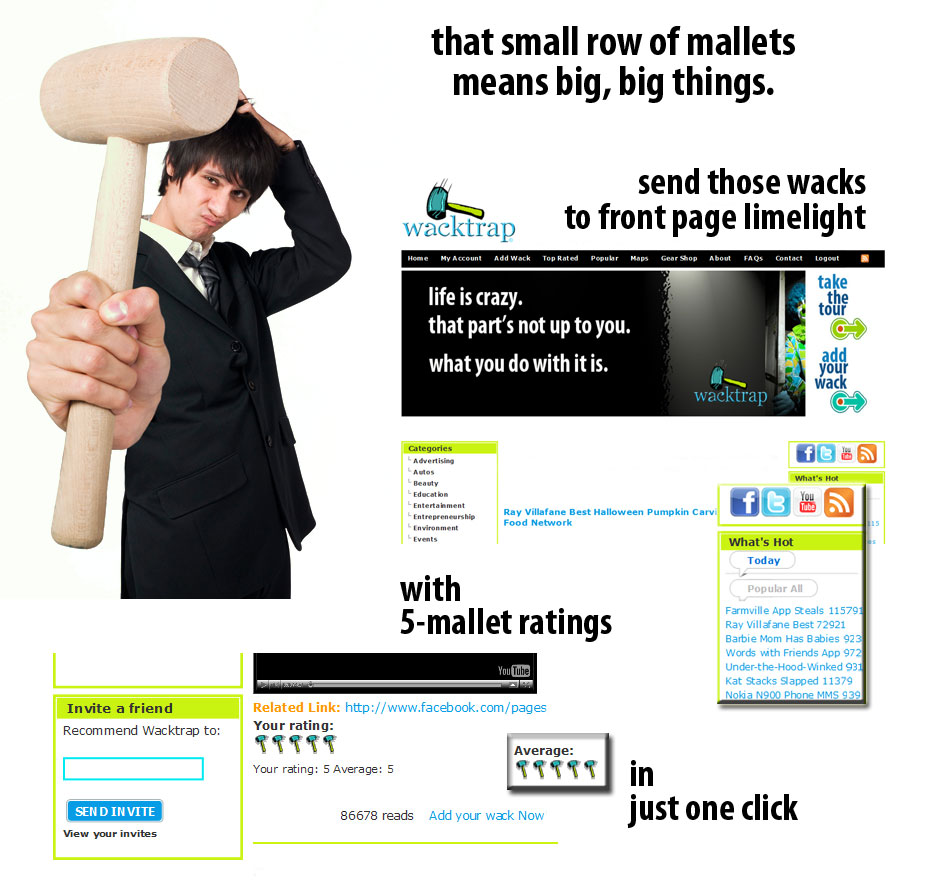
Your wack is what other users are rating-using those seemingly small mallets that actually mean big, big things. If your wack is ‘wack’ enough, and worthy of ‘5-mallet’ Ratings, it’s being actively pushed into the ultimate limelight: the Wacktrap front page-for the whole world to see.
 
Wacktrap users, and you, can also Comment on your wack at any time. And those Comments have got longevity-they stay with your wack for its lifetime. Permanently attached to the base of every wack, Comments always follow.
 
We know you want to get started. We'll show you how to add your wack now!
 
 
Done here? Just click the Question link again, to hide this answer text

A wack Rating is represented by that row of mallets you see alongside every wack experience. It’s one of the most important parts of the Wacktrap site. That Rating, simply, is how highly members view a wack. When members think a wack is great you'll know: the best wacks have a 5-mallet rating, and the best of the best make it to Wacktrap front page glory. Just as surely as you'll be wantin' to read a wack, you'll be wantin' to rate it. Because you define which wacks make it to the front page-for the world to see.
 
Learn about those little mallets that mean big, big things.
 
Done here? Just click the Question link again, to hide this answer text
 

A wack Comment represents how you’re feelin’, and exactly what you’re thinkin’, about a wack. Any wack. At the base of every posted wack, you’ll see a handy box. That box speaks volumes.
 
Think of it as your personal soapbox. The spot to speak your mind. If you’ve got something to say, this is the place to do it-plus it's a whole lot safer than shouting from rooftops.
 
 
Done here? Just click the Question link again, to hide this answer text

Now that you’ve posted your wack, you're gonna want to share it with friends, family, even co-workers. So we've made it a snap to get it to 'em fast. And you've got options: send it by wack mail, or send it directly to your account with Facebook or Twitter. With a click of our ‘Share’ Button, you'll be sendin' that wack instantly. Keep 'em up to date: from just one spot your friends can read your wack, Rate your wack, even Comment on your wack.
 
Wacktrap keeps an organized list of all your posts and wacks in 'My Account.' Just log in to scan a quick list of your recent wacks, or even all of 'em. Choose the wack you want and click on its Title. Utilize that ‘Read More’ link to expand that wack and you’ll find ‘Share' with two options:
 
Mail that wack fast via wack mail: Drop in your friend’s address, yours and a quick note. We’ll take it from there, sendin'your wack 'round the globe, to your neighbor, even that co-worker to your left
 
and/or
 
Add that wack instantly to your personal Facebook,Twitter or MySpace profile or page so your friends are gettin' the latest. Need to add that wack to Digg, Friend Feed, Technorati or your fav social bookmarking site instead? Just choose ‘More’ from that ‘Share’ option to choose from over 50 top sites.
 
Done here? Just click the Question link again, to hide this answer text

Reality TV or tabloids got you believin you’ve heard it all? Wacktrap Forums may just take it up a notch. Stuff you were looking for. Stuff you didn’t expect. And stuff you thought you’d never find. One hot spot: you won’t be forgettin’ your visit here anytime soon. Get into these Forums and you’ll find our members have a thing, or ten, to say. And regardless of whether you agree with what you're hearin', there's one point of convergence: this experience is never boring. So better revisit tonight’s plans-you’ll be needin’ some time to chat awhile.
 
When there’s big things happenin’ Wacktrap Forums is the place to meet. Whether it’s something that’s shakin’ the whole industry, your world-or rattlin’ or your neck of the woods-this is the one place you’ll want to be when things are hoppin'. And what if you’ve got nothing specific in mind? Just take a dip into any one of these rooms-you’ll find you won’t be leavin’ anytime soon.
 
Wacktrap Forums is home. Its main rooms: forum categories. And that intimate fireside, where all the best chats happen: topics you won’t, or can’t, forget. You’ll meet a lot of new people here-and they’ve got some very interesting things to say. Yes, you’ll be finding some definite ear-openers here. You won’t always agree. But we will guarantee: it’ll keep those wheels turnin’.
 
Lookin’ to bend someone’s ear? Visit Wacktrap Forums now to drop in on a conversation or start a new one.
 
 
Done here? Just click the Question link again, to hide this answer text
 

If you've landed on our site, you’ll be able to read wacks and the good stuff that accompanies those wacks you’re viewin'. Like their wack Ratings and wack Comments. But you won’t be able to do all the other good stuff, or participate on the Wacktrap site, before becoming a registered Member. We don’t ask for a lot. Wacktrap makes registration easy, it's free, and we won’t bog you down with information requests. You can read more in our Terms of Use and its connected Privacy Policy. We keep those pretty simple too.
 
Once you register at Wacktrap, there’s all kinds of stuff to do and participate in: write your own wack to share with the world. Even add that incredible pic or video clip, to shoot that wack to front page glory. You’ll Rate wacks, Comment on wacks, and participate in Wacktrap Forums. Use Wacktrap Search for the results you’re lookin’ for but have never experienced. And you’ll be able to view member Profiles, message Wacktrap members, leave ‘em notes on their Scratchpads, and even add ‘em as Connections.
 
We’ve put all the critical stuff in one spot: your Wacktrap 'My Account' lets you track your wacks, share your wacks, stack up Wacktrap Points, check your Feeds, scope out and write on your Scratchpad, increase your Connections, instantly add Bookmarks, and communicate in an instant. And, yes, your Wacktrap account is free.
 
Join Wacktrap now!
 
Done here? Just click the Question link again, to hide this answer text
 

When you’re the ‘go to’ for advice, the latest, and greatest, do you really want to be the one leavin' your friends in the dark? Spread the wealth, share the knowledge.
 
Give friends and family a heads-up with Wacktrap Invitations so they can enjoy the Wacktrap community as much as you. Wacktrap makes it easy: simply access 'My Account' and click on the 'Invitations' tab, to send an invite to those nearest and dearest. After all, who doesn't deserve a few good wacks
 
Done here? Just click the Question link again, to hide this answer text

That handy Search bar, found at the top right corner of every Wacktrap site page, will help you quickly locate user wacks, wack Comments and wack Ratings related to keywords for any topic and/or business or company name.
 
For instance, your search can be general such as the single term ‘Airlines’. Your search results can also be more detailed, such as searching for all returns related to a specific airline company name. For the most specific and narrowed search results: include the specific company name and any additional descriptive term(s), i.e. Baggage or Delayed Flights.
 
Not getting the Search results you need? Contact Wacktrap now
 
Done here? Just click the Question link again, to hide this answer text

Wacktrap Maps put things in perspective. You'll be selecting from two map types, from the top navigation bar. The default Wack Maps displays location of wacks, while Member Wacks tells you where Wacktrap members are located throughout the world.
 
They may sound similar, but these two maps display very different stuff. Each is constantly updated so you're gettin' the most current stats. When creating a wack, members have the option to physical location, or address, for any wack. As those addresses are entered, that info is plugged into Wack Maps.
 
A member may be located in one spot, but that wack may occur across the nation-or even across the globe. Member Wacks shows where Wacktrap members are located. It provides a lay of the land, showin' where members like you are clustered.
 
Wack Maps shows you where wacks are happenin'. When you wanna get specific, Wack Maps will take you to those hot spots. Check out Wack Maps now, to find out where those wacks are hoppin'.
 
 
Done here? Just click the Question link again, to hide this answer text

Step 1: Adding your wacks (8)

It’s your life, your experiences. So your wack will be as detailed as you deem worthy. As long or short as you like. Some days you may feel like writing a novel. Others, a novella. When it's more of a paragraph kinda day, just be sure to give us at least 10 words. The details are up to you.
 
We’ll share a couple of quick secrets, to get that wack of yours visible: seen. First, use keywords and avoid abbreviations in your title or body text. Keywords might sound scary, but they're simply those most important words you’re using every day. Make sure to use complete words, not the cut version. While texting shorthand is great for sendin' quick messages via mobile, keep in mind that our Search function doesn’t speak ‘texting.’ While you might be LMAO over what your friend is sending you, submit that in your wack text and you'll be making our Search function cry.
 
If you’re not familiar with Keywords, you’ll want to get intimate quickly. They’ll make your wack and wack Title great, and findable. Use ‘em right, and use ‘em consistently, and we know you’ll be rackin’ up those wacktastic ‘5-mallet’ratings in a flash. Spill those details. Tell all.
 
You'll wanna add a pic, video, url web address or document whenever possible. Sometimes nothing says OMG like an indescribable image: yes, you do want that visual. Remember, any attachment increases curb appeal and your Wack Stats.
 
Timing is everything, especially with wacks. Submit that wack as soon as possible while those details are fresh in mind. Remember, your wack’s being Rated by members who are itchin' to send it to the Wacktrap home page wall-o’-fame.


Done here? Just click the Question link again, to hide this answer text
 

A Category is that 'just-right' spot where your wack's hanging out, ready to be accessed quickly and easily. Categories function like bookstore sections, organized by topic. Wacks of similar topics are grouped together, waiting to be 'browsed.' Getting that wack in the right Category is essential. If your wack gets miscategorized, it remains accessible by keyword Search only, not for related 'browsing.'
 
The Category your're choosing is where your wack’ll be highlighted-where it will be available, and seen, even without use of Keywords. Put that wack in the right place and you're doubling its visibility: on the shelf, and through member Search. And with that kind of visibility, it's  bound for front page limelight.
 
When you add that wack, the first thing you'll be choosing is your Category from dropdown menu at page top. Dropdown menus will continue to slide open 'til you've chosen the most descriptive, the one that fits your wack.
 
Make sure your wack's in the right place, the first time. Once submitted, Category remains fixed and location can't be changed. If we haven’t created a Category that fits your wack just right, we’ll make it right: Contact Wacktrap now to get the wack Category you need.

Done here? Just click the Question link again, to hide this answer text
 

You can add a wack from any page on the Wacktrap website. If you're ever feeling lost, remember: we always keep that Add Wack link at the ready. You'll find it in the top, main navigation menu, and it's not movin'. Adding a wack is easy stuff. We provide lots of options, but only three simple things are required: Category, Title, and your wack itself.
 
First, select your Category from the dropdown menu. If you can't find the Category that fits your wack please contact us. If the perfect spot for your wack doesn't yet exist, we'll make it happen.
 
You'll be needin' a great wack Title. Remember, the sole purpose is to help members find-and see-your wack. We'll show you how to how to create great wack Titles for the most findable wacks. You'll want to cap the first letter only in every word of your Title, not every letter. Stay away from those short and irrelevant words that only block users from locating your wack. And remember that Keywords are crucial, both in your Title and your wack. So don't be cheap with use. Use keywords in your Title and text, and use 'em consistently. After all, you want to make it as easy as possible, for members ot find that wack so they can promote it to the Wacktrap home page.
 
You'll be pluggin' all the details into the body. The text area is expandable, so you'll have all the room you need to create your wack. The body or text of your wack can be any length. Make it as detailed as you like, just be sure to provide us at least 10 words or more.
 
Wacktrap provides specialized fields, for you to add any of the following types of optional attachments, or even all four: add a photo, video clip, url or document to your wack to boost it's 'must-see' factor. You'll also rack up Wack Stats fast, but most importantly, members want to see those incredible pics or video clips that make the best wacks even better.
 
We've added one extra option for wacks related to businesses: plug in the Location Name and, if you've got it, the physical address for wacks related to a company or business. Don't forget to fill out these optional fields, whenever you've got the info. It'll make your wack more findable, especially for members who share wacks in the same Category or with the same company. You might even make a great Connection or two, simply by filling in these few lines.
 
Questions about adding that wack? Contact Wacktrap now
 
Done here? Just click the Question link again, to hide this answer text
 

There’s just three main parts to any wack: the Category you select, its Title, and the body text of the wack itself. You're not going to be messin' with the Category, just selecting. If you can't find the Category that fits your wack, you've gotta let us know so we can fix it.
 
You'll be creating the Title and body of the wack itself. Your wack Title is important, so we've included tips on how to create the best wack Title with the most important stuff, keywords.
 
The text of your wack is vital stuff too: learn what to include in the main body text of your wack. You can make your wack as detailed or as brief as you’d like. Remember, the more detailed or specific your wack is, the easier for users to find it, Rate your wack and Comment on it.
 
We're providing some handy options you can attach to your wack, to make it even better. While you're creating your wack you can choose to attach any or even all of the following. You don't have to add visuals to your wack. But when you do, you'll be boosting its 'must-see' factor, and help get your wack promoted to front page fame:
 
•    An image taken on your camera or cell phone
•    a video (i.e., your YouTube video)
•    a url web address
•    a document (i.e., pdf doc or other format)
 
If your wack's about a business or organization, you'll have an extra option when creating that wack. You'll see a spot called 'Location Name' and this is where you'll be pluggin' in that. business name, followed by its physical address if you've got it.
 
Done here? Just click the Question link again, to hide this answer text

A wack, a Rating and a Comment are different from one another but they've got an awfully tight relationship. If you’re just startin’ out, the following will help you get acquainted-fast-with how they also relate to each other.
 
Quite simply, a wack is your experience-the one you’re postin’ on the Wacktrap site. That experience, or the experience of any other member, is known simply as a ‘wack.' You’ll first choose the most appropriate Category where your wack fits-then tell us how it occurred. Basically your wack is givin’ the world the lowdown on what happened, along with all the details. Your wack–and the wacks of all our members-are the core of the Wacktrap site.
 
Members give your wack a Wack Rating on a ‘1-mallet’ to ‘5-mallet’ scale of greatness. Top wacks are destined for the limelight of the Wacktrap front page-for the whole world to see. We don’t choose ‘em, you do. Wacktrap members determine which wacks are the best of the best. That’s what those little mallets you'll see, found at the base of every wack, are all about. Those mallets may seem small. But they actually mean big, big things. They're markin' the destiny of how many millions view your wack if it gets promoted to our front page. We're keepin' it honest here, so only other Wacktrap members are able to rate your wack. You won't be able to rate your own. If enough Wacktrap users deem your wack worthy of ‘5-gavel’ ratings, you’re headed for the ultimate limelight: the Wacktrap front page.
 
Wack Comments are what members are thinkin’ about your wack. It's what they've got to say. You’ll be accruin’ lots of wack Comments, and quickly. Especially when our members think your wack’s good, great or just plain controversial. You can't rate your own wack but you can Comment on it: Comments is the spot to be if you’ve left out some details, need to add info or update your wack. Any Wacktrap member can post a Comment at any time, just by scrolling to the base of any wack. Comments attached to the base remain viewable, so they'll always be in context.
 
Your wack is permanent. Wack Ratings and Comments have also got some serious longevity: once Ratings or Comments occur, they're attached to your wack for its lifetime.
 
 
Done here? Just click the Question link again, to hide this answer text

Square peg in a round hole? If it’s not fittin’, we need to know. We’re here to make that square peg round. If you want your wack to be seen and heard, it's gotta be in the right Category. Wacktrap needs your help to make sure the best fit is available.
 
Maybe you’re not seeing the Category you need. Or the Category just doesn’t fit you quite right. When a relationship’s not right, you know it. So, if you want your wack to remain findable, don't forece it. Contact Wacktrap now with your Category Suggestion and we'll address it as quickly as possible. Read on, to learn why having’ your wack in the right place is so important.
 
Categories and the Wacktrap Search function have a tight relationship. If the Wacktrap Search function feels simple, easy to use and gives the results you’re lookin’ for, we’re doing things right. All the stuff you never see, but feel, is by design. Those Search results you’re getting back are no accident, they involve intensive development of a structure that’s working hard, for you. Designed to get you the search results you’re looking for. Fast.
 
Wacktrap depends on its community's help in keeping those results flowing as smoothly as they are. Following the adage, ‘a place for everything, and everything in its place,' help Wacktrap maintain the order:
 
We know you’re anxious to post your wack. And we want to help you do it. Suggest a Category to let us know what you need, along with any company name and industry info that you believe is needed to fit your wack. If your wack’s related to a topic not involving a business, give us the pertinent info. Let our Team find out how your wack best fits into our site structure, and we’ll make it happen.


Done here? Just click the Question link again, to hide this answer text

Have something you want, or need, to add to your wack once it's already been created? Because your original wack can't be altered or edited once you hit 'Submit,' wack Comments is designed for that extra stuff you want to squeeze in, or feel like you just gotta say, after the fact.
 
You, or any other Wacktrap member, can add a Comment to your wack at any time following its original submission. Just open your wack and scroll to the bottom to the labeled 'Post a Comment' area.
 
Once you've submitted your wack Comment, your Commentn text will always appear directly below your original submitted wack. Comments remain attached to your wack, so they remain in context and viewable whenever your wack is viewed or read.
 
Done here? Just click the Question link again, to hide this answer text

Yes, but only in the best way. If your wack is promoted to the Wacktrap front page, your average 5-mallet ratings mean you’ve done a stellar job. You're guaranteed that Wacktrap members couldn’t agree more, since they’re the ones who put you there: front and center, on our wall o' fame. 
 
Revel in the fact that only the best wacks are honored with front page glory. And now that Wacktrap members, and the world alike, see your featured wacks here, they'll be able to peruse all of your literary genius in one spot. This is your time to shine.
 
In terms of forsaking your privacy, we wouldn't think of it. Your privacy is as valued by us as it is by you. So while you bask in the limelight, you'll be represented by the Wacktrap username you've chosen upon registration.
 
 
Done here? Just click the Question link again, to hide this answer text
 

Creating Great wacks (7)

Heck, no. You don’t have to attach anything to your wack you're not feelin' like including. Wacktrap provides optional fields, to allow our members inclusion of four different types of optional media and references. We've also provided a specialized field, for Location Name and address info for wacks related to any business.
 
While we certainly won't tell you anything you need to do, we've got a couple suggestions as to why you may want to include those extras in your wack.
 
If you’re a master of the English language or purist, you may feel your wack needs nothing additional. And if you're  ‘on the go,’ adding that wack as fast as your laptop can handle, you may not have the time.
 
If you’ve got a second to spare, here'why to consider that add:
 
•    A picture can be worth more than a thousand words. Upload digital camera images or use spontaneous, ‘on the fly’ photos taken via mobile phone, to make your point quickly.
 
•    Nothing says 'this happened' quite like a video clip. Even the shortest clips are indescribable through text alone, even for a master wordsmith.
 
•    URLs are handy, can be pasted in seconds, and make a fantastic reference point. One of the fastest attachments, URLs help instantly clarify.
 
•    The almighty pdf doc. Nothing says proof quite like a scanned document: if you scan and store, or have that pdf handy, substantiate your wack through a related document.
 
If you've got visuals or docs, Wacktrap members want to see 'em. They wanna know just exactly what you’re talkin’ about, and attachments make your point for you. When you include a visual, you’re givin’ 'em the full picture.
 
You're also rackin' up bonus Wack Stats for every attachment you add. And remember: pics, videos, URLs and docs are mighty popular stuff, helping people reference and share. Add those extras to get your wack promoted to the Wacktrap front page, for the world to see.
 
 
Done here? Just click the Question link again, to hide this answer text
 

Avoid words like ‘I’, ‘and,’ ‘an’, ‘a’, ‘as,’ ‘the’, ‘to’, ‘or, ‘in,’ ‘it,’ ‘if,’ ‘but,’ ‘you,’ ‘etc,’ or similar two or three-letter words when creating your wack Title. Trust us, you don’t need ‘em. And, we promise, you really don’t want ‘em. They'll only drag you and your wack Rating down.
 
Why's it so crucial to omit the small stuff? As important as those short words are in speech, they're equally detrimental when included in your wack Title. Two and three-letter words make it hard, or even impossible, for members to find your wack. Those little words connect thoughts when you're speaking. They make it easier to explain meaning, and keep things in context. But here's the deal: our Wacktrap Search function doesn't need those connectors, and in fact doesn't want 'em. It's lookin’ for the major keyword stuff, so it can retrieve the things that really matter. When you’re throwin’ in those itty, bitty words they're getting’ in the way. Those tiny words work to baffle same ‘brain’ that’s tryin' so hard to find the things most relevant to you.
 
So help keep the small stuff out. Tiny words clog the arteries of our excellent Search function, which is workin' hard to pump those important wacks to the top of the heap for you. Search is diligently checking through all those wacks, to find you the stuff you're really lookin' for. We know those few letters don't take much space: they're small-and that's the big problem. When our Search function focuses on bringing back your best matches, it’s gettin’ bogged down trying to find the small stuff too. The stuff you don’t need and don't care about. And that means you get less of the stuff you really want and need.
 
Always remember: your Title's simple purpose: to get users to your wack. Members must be able to find your wack in order to be able to read and rate it. Short words throw your wack to the bottom of the stack. Only use the word 'no' or the word 'of,' if it specifically appears in a company name. The rest of the time, leave 'em by the wayside.
 
 
Done here? Just click the Question link again, to hide this answer text

Keywords, Keywords, Keywords. Keywords are vital to great wack Titles and just as important in your wack itself. Keywords help you find the wacks you’re lookin’ for, and help everyone else find your wacks. And find those wacks easily, when Keywords are maximized correctly. Learn how to use Keywords to make your wack Title great:
 
Keywords are mighty important here at Wacktrap. They play a big role in helpin’ that handy Search bar we’ve got work right, and most efficiently for you. They're simply the terms describing the most important stuff that you, and other members, are lookin’ for: they'll help you find the most relevant stuff you're searching our at Wacktrap. Examples include a specific company name, an industry (i.e., 'Credit Cards'), or terms having to do with an industry or topic (i.e. , 'Interest Rates'). It's important to use the right keywords, for the absolute best results. And that's gonna help everyone else find your wacks easily too.
 
When utilizing the best Keywords, your wacks will naturally rise to the top, where more and more people will be able to see 'em, give your wacks a 5-gavel rating and Comment on your wacks. When members find you easily, you just may find your wacks featured, basking in the limelight of our front page-for the world to see.
 
To get the Search results you want, you’re gonna plug in those terms specifically related to topics or companies. And the more specific those terms are, and the more relevant Keyword terms you include in your Search (i.e., 'Credit Cards Interest Rates'), the more narrow and specific the results. Using the right ones means you're not weeding through all those extras, the things you're not lookin' for. The results, for terms like ‘Credit Cards Interest Rates,’ will be fewer but will also be more relevant than using only the terms ‘Credit Cards’ or ‘Interest Rates’ alone. To seriously narrow your Search using keywords, include the actual company name before the terms ‘Credit Cards Interest Rates.’ You'll receive narrowed results pertaining to Credit Cards Interest Rates as they relate to that actual, specific company.
 
 
Done here? Just click the Question link again, to hide this answer text

We'll help you create great wack Titles in a snap. There's one purpose of wack Titles and that's to help members find your wack. If they can't find it, they can't read it. And if they can't read it, they can't Rate it. Or Comment on it. You get the point. Users have to get to your wack, and you want 'em to get there. So we're gonna show you how:
 
First, keep in mind: Keywords are important. They're the basis of Search, so get familiar with 'em. We're including a quick tutorial here to lead you. It may look lengthy but it's quick, we promise. We're creating a wack and we've gotta come up with a good Title so that people find it. In this instance, we've got a laptop that's crashing. And it's defective. Our goal is for as many members as possible to find our wack, and find it easily. If we do it right and create a great wack Title, it'll naturally come to the top of Search results users are gettin'. When your wack's at the top of results, members Rate your wack and even get that wack promoted for feature on the Wacktrap homepage.
 
We're using a product for this example, since products require the most info or Keywords you'll ever need to enter. Slim it down, to apply this to any company, service, industry, company, issue, or topic, to use for any wack you add.
 
But first the fast-break: visit 4 Commandments for every wack Title now. You'll be back in a flash, and we'll be sure to hold this page for you. Learn how to create a great wack Title now:
 
 
GREAT WACK TITLES: THE 12 STEP-BY-STEP GUIDE

 
1) First, who made it or what company is it? The manufacturer name and any aka is vital. In this case the manufacturer is ‘XYZ’. Our wack Title currently reads:
XYZ
 
 
2) There's an additional name the company goes by-for instance a parent company. In this case, ‘ABC.' Two names-so we need to include ‘em both. Just in case someone searches for ABC instead of XYZ:
XYZ ABC
 
 
3) Next, what's the type of product or service?  in this case, it’s a product-a computer. So we've got:
XYZ ABC Computer
 
 
4) But we need to make sure to be specific about type. There's different types of computers-we want people to be able to find our wack. This is a laptop, not desktop or tower. So let’s plug it in:
XYZ ABC Laptop Computer


5) Are there similar or additional terms? What do other people call it. In this case, it's also frequently known as a ‘Notebook' also We want people to find our wack easily. So we're gonna add it:
XYZ ABC Laptop Notebook Computer


6) Is there a model name that applies? Yes: we'll make it ‘ZIR.' Model names are important: people search by 'em, even forgetting to plug in the manufacturer. So here we go:
XYZ ABC Laptop Notebook Computer ZIR


7) Is there a model number that applies? Yes: we'll make it the MR-300. If you're a manufacturer and this happens to be your model number, it's purely coincidence-so forgive us. Now our Title reads:
XYZ ABC Laptop Notebook Computer ZIR MR-300


8) Is there an alternate way people search? Most model numbers have a dash. But people often forget about 'em when Searching. They can make a big difference in results-so we're adding it without the dash also: MR300. Now a lot of people will find our wack that wouldn't have otherwise:
XYZ ABC Laptop Notebook Computer ZIR MR-300 MR300


9) What industry does this product belong to? A computer: Electronics of course. Adding the keyword Electronics will people to find your wack that wouldn't have otherwise. Now we have:
XYZ ABC Laptop Notebook Computer ZIR MR-300 MR300 Electronics


10) We’re almost done-we promise. What’s occurring? In this case, the laptop's crashing-constantly. So we need to describe what it’s doing-and describe it in active form: it's ‘crash-ing’, and that ‘ing’ is important.
XYZ ABC Laptop Notebook Computer ZIR MR-300 MR300 Electronics Crashing


11) And the finale: is there anything additional or other terms that describing what's happening? In this case, the manufacturer’s now stating it's defective. That’s crucial-so we need to get it in there:
XYZ ABC Laptop Notebook Computer ZIR MR-300 MR300 Electronics Crashing Defective
 
Ta-da! Our final wack Title in all it's glory:
XYZ ABC Laptop Notebook Computer ZIR MR-300 MR300 Electronics Crashing Defective

and famous number:
 
12) Location Name. Any time you add a wack, Wacktrap's givin' you a special spot to specifically list Location name and physical address info of a related company or business. Including this info allows people to find wacks related to that same company, or even wacks related to the exact physical address location. If your wack involves store location, a chain or franchise in any industry, including an airline and airport, you're also gonna want to plug that info into your wack Title as city and state. Just leave the commas aside: i.e., New York NY.

 
Click here to Add a wack now and get started!


Done here? Just click the Question link again, to hide this answer text

Just as they occur in life, experiences are permanent, and so are those you upload to Wacktrap. Edits or alterations provide opportunity for things to go awry. Broken or dead links, cached info that's just not there, or wacks you simply can't find: you won't be happy if things aren't showin' up where they're supposed to, and we wouldn't want that happenin'.
 
So how do you update a wack when you've had a change? Changes happen. If there's been a major shift, good or bad, of course you're feelin' it-and need to let the world know. We won't leave you in the lurch, so here's two ways to make that fix:
 
 
You can Post a wack Comment or Post a New Wack:
 
 
Post a wack Comment:
 
If you've got a simple follow-up, you can post a Comment to your original wack. While you can't Rate your own wack, you can Comment on it. This is the best method for stuff that isn't major. Maybe you just want to add a bit more info, or detail you forgot. Posting a Comment is the simplest, and best, way to update smaller stuff you just plain forgot. You can add Comments quickly and easily. Just pop open that wack, making sure it's fully expanded, and you'll find a handy 'Post a Comment' area at the base. Users can't Rate your Comment, they can only Rate wacks. When something big has occurred or changed, and you're looking to also have that wack Rated, consider instead posting a new wack.


Post a New Wack:
 
a) When your current feelings about the company or experience reverse. For instance, negative feelings are now positive, or vice versa.
 
You can Post a Comment and Post a New Wack if you prefer. The Comment will remain attached to the original wack, while the new wack reflects your second experience. Wacktrap Members will be able to Rate your new wack.
 
b) When your feeling about the company or person remains the same as your original wack, but you've now experienced a new or additional major issue.
 
For instance, your original wack is related to a retail company and its customer service. You've now received the product, in the meantime, and the product is defective. This is a second and different issue, related to the same company. Following up by posting a Comment to your original wack may not be sufficient, and also won't allow members to Rate your wack for both issues.
 
c) When your wack is related to one company, but an additional company is now involved.
 
For instance, your original wack involves a retail company and its customer service. Your product hasn't arrived, however, because the delivery company lost the product in transit. You'll want to post a new wack for the related company, in this instance the delivery or transit company handling the shipment.
 
Add a wack now


Done here? Just click the Question link again, to hide this answer text
 

Keep your wack a live wire in Wacktrap Search Results! You want your wack to rise to the top, where it belongs-so users can read it, Rate your wack and Comment. Here's some tips for how to create the best wack Titles. Follow these 4 Commandments for wack Titles, below, to rise to the top:
 
 
Follow these 4 Commandments-we won't call ya a zealot:
 
Cap it: Always cap the first letter of every Keyword in your wack Title but never cap every letter of your words. What are keywords?
 
Omit it. Get rid of the small stuff. Don't use short, Search-irrelevant words like ‘I’, ‘and,’ ‘an’, ‘a’, ‘the’, 'as' ‘to’, ‘or, ‘in,’ ‘it,’ ‘if,’ ‘but,’ ‘you,’ ‘etc,’ or similar words. Find out why short words can drag your wack down.
 
Spell it: get 'em right the first time. Check, check and double-check. If those Title keywords aren’t spelled correctly, no one’s findin’ your wack-to read or rate it.
 
And by no means punctuate it: The way you speak or write doesn’t apply to creating great wack Titles. So throw those misconceptions out the window. Commas, periods, quotes, apostrophes-they've got no place here.


Done here? Just click the Question link again, to hide this answer text

Your wack Title has one purpose: to enable people, all over the world, to find your wack. The one way to achieve that purpose: get all the important stuff, and only the important stuff into your wack Title.
 
You won’t be needing to cram your whole wack experience into this short space. We promise, we'll give ya lots of space to say it all, in the body of your wack itself. Your wack Title concentrates on those almighty Keywords. use them correctly and members won't only find your wack: they'll be able to read it, give it a wacktastic 5-mallet Rating, even Comment on your wack.
 
We'll help you learn how to get the right Title Keywords in the right place so your wack can rise to the top, where it belongs. 
 
 
Done here? Just click the Question link again, to hide this answer text

Step 2: Sharing those wacks (6)

Yep. We understand, you can't let down those followers. We know how important it is to keep those tweets flowin’. Use Twitter to instantly tweet that wack, or send that wack to your Facebook profile in only seconds. You've got a busy schedule. We'll show ya how to do it all, l in just clicks.
 
 
Here's how to share and tweet that wack via Twitter fast:
 
Just choose that wack you’ll be sharin’. It can be your own wack, or anyone else’s. Make sure that wack’s expanded, clicking the 'Read More' link, so that you see the Wacktrap ‘Share’ feature button. Mousing over the ‘Share’ feature found at the base of every wack, you’ll see the Twitter icon become available. Simply click the Twitter icon and we’ll take you to send that tweet via a brand-new page, so you won't lose track of that wack.
 
If you’re already logged into Twitter, you won’t need to do it again from Wacktrap. If not, we’ll help you log in when you first click on the Twitter icon from our ‘Share’ menu. We've made it simple to share that wack: we’ll plug in that wack link for you. You won’t need to enter a thing. Just click Twitter’s ‘update’ button and we’ll send that tweet for ya, now.
 
 
Lookin' to follow Wacktrap on Twitter?:
 
Follow Wacktrap on Twitter now! (http://twitter.com/wacktrap)
 
 
Share that wack now! We've got 150 of your favs, just to get ya started:
 
Want to share that wack on another site instead, like Facebook, MySpace or your favorite social bookmarking site? Learn how to add that wack fast to over 150 top websites. Or share that wack with friends using our super-fast wack mail. No snail mail here. All right from the Wacktrap site, so you won't lose your place. Now that's easy.


Done here? Just click the Question link again, to hide this answer text
 

You bet. Wacktrap makes it easy to add any wack directly to your Facebook profile, shared alongside your regular Facebook posts. Or Wacktrap members can use Twitter to tweet that wack instantly. Just pick the wack you'd like to share and we'll take you where you need to go, in just clicks. The wack you've chosen will appear on Facebook instantly, so your Friends can view it and comment right away.
 
 
Here's how to share that wack on Facebook fast:
 
To add that wack to Facebook, quickly, just choose the wack you want to share now. It can be your own wack, or anyone else’s. Make sure the wack’s expanded first, clicking 'Read More' if necessary, so you see the ‘Share’ feature found at the base of every wack. Mousing over the ‘Share’ feature, you’ll see the Facebook icon become available. Click on the Facebook icon and we'll take you to a brand-new page, so you won't be losin' track of that wack.
 
If you’re already logged into Facebook, you won’t need to do it again from Wacktrap. If not, we’ll help you log into Facebook when you choose the icon from our ‘Share’ feature menu. We’ll take care of pluggin' in that wack link for you, so you won’t need to enter a thing. You'll see a spot, where you can add a Facebook comment of your own to appear alongside that wack you're sharing. The wack will post immediately to your Facebook page, shared with your personal Facebook Friends and appearing alongside your regular Facebook posts.
 
Also tweet that wack via Twitter or follow Wacktrap on Twitter now.

 
Want to share that wack on another site instead, like MySpace, Digg or your favorite social bookmarking site? Learn how to add that wack fast to over 150 top websites. Or share that wack with friends using our super-fast wack mail. No snail mail here. Do it all, directly from the Wacktrap site.
 
 
Done here? Just click the Question link again, to hide this answer text
 

Stay updated on the latest, follow Wacktrap on Twitter now, found at http://twitter.com/wacktrap
 
What if you want to follow and lead? It only takes seconds. We'll show you how to tweet that wack via Twitter instantly, now.
 
Like to keep your friends posted on Facebook? Instantly share that wack with your Facebook profile.
 
 
Done here? Just click the Question link again, to hide this answer text

It's easy to share your wack, or anyone else's, and share it fast. Whether you're sendin' it to one or many, our handy 'Share' feature offers a super-fast way to mail that wack in an instant usin' wack mail. You'll be sendin' that wack to anyone, or everyone simultaneously.
 
Wacktrap's 'Share' feature is located at the bottom of every wack you read. Even your own. We're pretty sure it's one of the most handy tools you'll find. To find 'Share,' make sure that wack's fully expanded by clicking the ‘Read More’ link, fully opening the wack fully. At the bottom of that wack 'Share' is marked by a small orange cross icon.
 
Mousing over 'Share' provides the wack mail option, a super-fast way to get that wack to friends without ever havin' to leave the Wacktrap site. Just look for the tiny envelope. Click that envelope icon in 'Share,' to plug in one or many email address recipients.
 
What if you'd like to send it to a bunch of friends at once? We've got you covered: you can include as many addresses as you'd like, just be sure to separate 'em by a comma ( *****@gmail.com, *****@yahoo.com). Even pop in quick note if you're feelin' like it to let your friends know just what you're really thinkin' about the wack they've gotta read.
 
Wacktrap 'Share' features a time-savin' tool for more than mail! Use it to add your wacks to your favorite websites in a blink. Want to add that wack to your Facebook profile? Or want to use Twitter to tweet that wack instead? Maybe you'd prefer to share that wack on the likes of MySpace, Digg, Friend Feed or your favorite social bookmarking site. Whatever your passion, you'll have instant access to sharing any wack-quickly-with more than 150 of your favorite websites.
 
 
Done here? Just click the Question link again, to hide this answer text

Only clicks away, you can instantly share the wacks you see with friends, family, coworkers, or anyone you'd like! Wacktrap helps you share those wacks fast, even if they're not your own but happen to tickle your funny bone. See something you can’t believe-and just gotta tell someone? We've made it easy.
 
First, locate that wack you want to send and make sure it's open and fully expanded to reveal the 'Share' feature. If you're seein' a ‘Read More’ link, click that first to open the wack, then scroll to the bottom of that wack. Mouse over (don't click) the ‘Share’ feature marked by an orange and white cross, where you'll find a 'More' option. Click on that 'More' option to add that wack instantly to top websites. Whether it's Facebook, Twitter, MySpace, Digg, Technorati or more than 150 more of the nation's top sites, you can add that wack in a flash. Not seein' your favorite site on our list? Contact Wacktrap Feedback now.
 
Maximize our 'Share' feature by usin' Wacktrap's super-fast wack mail: mouse over 'Share,' found at the base of any expanded wack, to reveal a small envelope icon. You'll be sharin' that wack, with anyone or everyone, by pluggin' in email addresses in just one spot. Fast as lightnin'. Even faster than all those texts. And easier on the thumbs.
 
 
Done here? Just click the Question link again, to hide this answer text

Update your wacks to friends and family, in a blink. It's easy to add and share all your wacks to your Facebook profile, Twitter or Myspace page instantly. Need to let the whole world know about that wack you just added? Maybe you want to share it on Digg instead. It's up to you. There's lot of choices-and we've put 'em at your fingertips. It's important to have options, so we're givin' you over 150 right off the bat. Because sometimes you gotta tell someone. Sometimes you gotta tell a lot of people. And sometimes it's so wack, you gotta tell everyone you know.
 
Share that wack with your favorite website, or 150 of 'em:
 
At Wacktrap, we've made it easy to share. And share fast. We know your time is important-so we don't mess around. The Wacktrap 'Share' feature lets you instantly send your fav wacks-quickly. You can add that wack to Facebook, add that wack to Twitter, MySpace, Digg or Technorati. We're literally playin' favorites here: and we know there's lots of 'em. We've created a menu of more than 150 to get you started. Or you can add your own. All in one spot. And fast. Here's how to share your fav wacks with your fav sites:
 
You'll find the 'Share' feature at the base of every wack. Even your own. So you're not wastin' time searchin' around. We think you'll find our 'Share' feature one of the handiest tools yet. Once you've found that wack you're itchin' to send, make sure it's expanded first. If you're seeing the ‘Read More’ link, click it to open the wack fully, where you'll find the 'Share' feature at the base. Mouse over 'Share' and click 'More' for a full list of top sites.
 
Share that wack with your favorite friends, or 150 of 'em:
 
Use 'Share' to send those wacks to friends via our super-fast wack mail feature. Send it to one, or all of 'em, in an instant. They'll have it quicker than you can text. Plus it's a whole lot easier on the thumbs.
 
 
Done here? Just click the Question link again, to hide this answer text
 

Step 3: Rating those wacks (3)

Just what do those little rows of mallets mean? Those mallets are the basis of the Wacktrap Rating system-and even though they’re small, they mean big, big things. That small row of mallets will appear below every wack experience you read. And you’ll find it’s one of the most important parts of the Wacktrap site. The darkened amount of mallets you're seein' is that wack's current rating. But you haven't given your input yet. Just as sure as you'll want to read a wack, you'll want to rate it. Because you define just which wacks make it to the Wacktrap front page-spotlighted for the whole world to see.
 
 
Simply, a Wack Rating is how users rate each others’ wacks. You’ll be able to rate every wack you read-or whichever wacks you choose. The more wack you think the experience is, the more mallets you’ll be givin’. At the end of every wack you read, you’ll find the option to slam down some mallets. It’s your way of doin’ justice. And your way of sayin’ just how good-or great-a wack really is.
 
 
So how does Wack Ratings work-and how do you rate a wack? A small row of mallets allows you to rate just how ‘wack’ you believe a user’s experience really is. Some are good. Some are great. Some just are. Then there are those that are downright wack-and those are the ones you’ll be helping promote to the Wacktrap homepage-front and center where they belong.
 
 
The more wack you think the experience is, the more mallets you’ll be highlightin'. If it’s outrageous you’ll be givin’ it a ‘5-mallet’ rating. Didn’t even make you crack a smile? ‘1-mallet’ it is. Smack in the middle: it’s not exceedin’ a ‘3’. Your ratings determine which wacks shine in the limelight. And other users’ ratings determine whether you, yourself, will be basking in all that glory.
 
 
The mallets will first appear faded-until you  to begin to scroll over the row with your mouse. Remember: the more wack it is, the further right you’ll be headin’. Every wack you read gives a rating option of a 5-mallet maximum. On the Wacktrap scale a ‘5-mallet’ rating represents the most wack experience, a ‘1-mallet’ rating the least wack. Mallets will darken as you scroll: the darkened number of mallets represents the Wack Rating you’re personally giving for that wack. The best of the best will be getting’ a ‘4’ or ‘5’.  Make sure you don’t let go of that mouse or click until the number of mallets you want is darkened-once you click and release, your Wack Rating is in!
 
 
Done here? Just click the Question link again, to hide this answer text

Following every wack you read, you’ll find the option to slam down some mallets-and Rate that wack.
 
Those mallets let you to rate just how ‘wack’ you think an experience really is. You'll want to learn about wack Ratings, one of the most important parts of the Wacktrap site. They might appear small but those mallets mean big, big things. Learn how to rate a wack now-you decide which wacks are the best of the best, to bask in the limelight of the Wacktrap front page for the world to see.
 
Done here? Just click the Question link again, to hide this answer text

Rate every wack you read. Every wack Rating counts, and the Wacktrap community is countin’ on you. Those ‘5-mallet’ ratings you’re givin’ determine just which wacks are destined for front page fame.
 
You won't be able to rate your own wack. But don’t be disheartened: if your wack's destined for those 15 minutes, Wacktrap members will make it happen. Be sure to send your wack to friends, share your wack on Facebook, tweet your wack via Twitter, and use Wacktrap Invitations to help boost that wack to front page fame.
 
Done here? Just click the Question link again, to hide this answer text

Step 4: wack Comments (2)

A wack Comment represents how you’re feelin’, what you’re thinkin’, about a wack. Any wack. At the base of every posted wack, you’ll see a handy box. And though it looks small, that box speaks volumes. Think of it as your personal soapbox. The spot to speak your mind. If you’ve got something to say, this is the place to do it-plus it’s far safer than shouting from rooftops.
 
After you’ve rated a wack, you’ll wanna Comment when you've got somethin' to say. Wacktrap members are waiting to hear from you. Make it as long or as short as you want. Size doesn’t matter, but content does. Just like wack Ratings are crucial to movin’ your wacks to the top of the stack, Wacktrap Comments let the world know just how good-or great-a wack really is.
 
Scroll to the bottom of any wack you read. That's the spot where you'll ‘Post a Comment,’ where your remarks will appear instantly. The great thing about Comments: they’re not goin’ anywhere. Your Comment will always remain permanently attached to its wack, so your remarks will never be out of context. How often does life make that guarantee?
 
And what if you’ve got somethin’ to say about your own wack? Sometimes you’ve forgotten a detail. Or sometimes more just happens to occur, and that means you’re going to want to update that wack. When  you’ve got a bit or byte to add, ‘Post a Comment’ is your go-to. And if that wack becomes spotlighted on the Wacktrap homepage, so are those Comments-and so are you. Your insight may just land you smack on the Wacktrap homepage for your time to shine.


Done here? Just click the Question link again, to hide this answer text

Absolutely. You can Comment on your own wack at any time. Your original wack can't be altered or edited once it's submitted-the wack Comment area is designed for that extra stuff you want to squeeze in, or just have to say after the fact. Sometimes you’ve forgotten a detail. Or sometimes more occurs-where you feel that compulsion to follow up and update that wack. When you’ve got a bit or byte to add, the ‘Post a Comment’ section’s the place you’ll want to be.
 
Scroll to the bottom of any wack experience, your own or anyone else's, where you can ‘Post a Comment’ instantly. If your feeling about the company or person remains the same, but you just want or need to add a bit more, this is the place to do it. The easiest way for smaller stuff you'd like to add or update. Comments aren't goin’ anywhere. Your Comment will always remain permanently attached to its wack, so your remarks will never be out of context.
 
Keep in mind that Wacktrap members can't rate a Comment, or give it any of those mallets. Only your wack experience itself can be rated-so if something's occurrred that involves a totally different aspect of the company, or a second company altogether, add a new wack here.
 
 
Done here? Just click the Question link again, to hide this answer text

Connecting (6)

Wacktrap Connections are always at your fingertips. You're gonna make lots of 'em here and we keep 'em all in one, safe place. Click the 'My Account' tab, and you'll find 'My Connections' directly above your personal Scratchpad. We make it easy to keep track of who's who, with a thumbnail avatar for every Connection you've got.
 
'My Connections' is your inner circle. You choose ‘em, adding ‘em one by one as you meet and connect. When you want to make a Connection, let the member know. Click on the username, and you'll head straight to the member's profile page to learn a bit more about them. If you like what you see, click the 'add connection' icon represented by two people and found below the member's avatar photo and profile info.
 
When that member verifies that they're as interested in you, as you are in them, we'll immediately notify you of your new Connection. Wacktrap members will be able to see your Connections, and you'll be able to see theirs at a glance. Just visit any member's Wacktrap profile page to see who's connected.
 
Remember, Wacktrap values your privacy. When you make a Connection, any registered or personal information continues to be private. When communicating with any Connection you make, your email address and that member's remain hidden and undisclosed.
 
 
Done here? Just click the Question link again, to hide this answer text
 

You're sharing your wacks with friends quickly and easily. But what if you also want your friends to be able to share their wacks, and make 'em part of your Connections? After all, it’s even more fun to see your friends’ crazy experiences too. If your friends deem you ‘in the know’ on all the latest, help ‘em out by spreading the word. When  you're the 'go to,' don't leave 'em in the dark. You'll also rack up Wack Stats fast by inviting friends-and receive bonus Stats when your friends join Wacktrap.
 
You’re lovin’ Wacktrap and wanna spread the word. But you also want to make sure you’re not unknowingly adding your best friend’s email address to a list of streaming solicitations. That just wouldn’t be cool. At Wacktrap, we make sure we're adding to your rep, not making you the resident fool.
 
Any invite you send, including the email address you enter, remains private. We’re sticklers about that kind of thing. Wacktrap respects your privacy, and that of anyone you invite to our community. Email addresses are sacred stuff. We promise: we won’t be buggin’ your friend or associate with never-ending emails or solicitations. They’ll get your invite once. And we won’t be using that info for solicitation. Wacktrap Terms of Use will help you understand our policy.
 
Wacktrap Invitations is a handy feature designed to make life easy-and communication fast. You can invite friends, family or anyone in your exclusive circle, to join the Wacktrap community. And because we've made a solid pledge to you, you'll rest assured we're not violating your privacy or theirs.
 
Our Invitations feature makes joining Wacktrap a snap. Your friends will become part of your community-fast and easy-so they can post wacks right alongside yours. Make it a race to see whose wacks make it the Wacktrap homepage first-unless of course you're afraid of a little friendly competition.
 
Just log in and head directly to your personal Wacktrap Account, found at the 'My Account' tab. Once there, you’ll find a handy tab reading ‘Invitations.’ Click that tab, enter the email address where you’d like that invite to go, and hit submit. You can even include a short note. It’s that simple. They’ll receive a simple email similar to this:
 
“Your friend, [this would be you] , has invited you to join wacktrap at http://www.wacktrap.com. To become a member of wacktrap, click the link below or paste it into the address bar of your browser.”
 
When they click that link, we’ll take ‘em where they need to go-straightaway. And you've helped 'em get there. For every friend that joins, we’ll be awardin’ you those bonus Wack Stats. But that’s just between us. We won’t share your secret.
 
 
Done here? Just click the Question link again, to hide this answer text
 

At Wacktrap, you have the freedom to communicate. Free and easy. Any time you see another Wacktrap member’s username in a wack, wack Rating, Comment or Forum post, you’ll be able to contact the member directly and privately. You've only gotta be logged in to be usin' Wacktrap Messaging. We'll do the rest of the work for you. If you're messaging a member frequently, you just may want to make 'em a Connection at your fingertips. And if your personal connections aren't yet your Wacktrap Connections, send 'em an invite now.
 
Just how fast is Wacktrap Messaging? Slower than regular email, right? Nope. In fact we have a feelin' you'll like it even better. It's your direct line to Wacktrap members, and to your Connections. You'll be gettin' and sendin' fast messages-without ever leavin' the Wacktrap site. No need to flip back and forth or check your regular email account. Quick and easy, it's all happenin' right here.
 
Message any member on the Wacktrap site. Make sure you're logged in to click on the username link found in any member's wack. We'll take ya straight to their Wacktrap profile, to give you a bit better idea of who they are-including likes, links and the Lowdown. Below their avatar and Wack Stats total, click on the icon of a single person to send a private message, pronto.
 
We value your privacy, and the privacy of every Wacktrap member. When you message any Wacktrap member, email addresses and personally identifying information remain undisclosed.
 
 
Done here? Just click the Question link again, to hide this answer text

Want to add your wack to your Facebook profile or tweet that wack instantly? You owe it to that inner circle to keep 'em up-to-date. After all, what would they do without you? We know you spend time on other sites, so we won't make you choose a favorite. We've made it easy to incorporate your wack, or share any wack you see, with your favorite friends and sites, in just clicks.
 
To add that wack to Facebook, quickly, just choose the wack you want to share now. It can be your own wack, or anyone else’s. Make sure the wack’s expanded first, clicking 'Read More' if necessary, so you see the ‘Share’ feature found at the base of every wack. Mousing over the ‘Share’ feature, you’ll see the Facebook icon become available. Click on the Facebook icon and we'll take you to a brand-new page, so you won't be losin' track of that wack.
 
If you’re already logged into Facebook, you won’t need to do it again from Wacktrap. If not, we’ll help you log into Facebook when you choose the icon from our ‘Share’ feature menu. We’ll take care of pluggin' in that wack link for you, so you won’t need to enter a thing. We'll also give you a spot, so you can add a comment of your own to appear alongside that wack you're sharing on Facebook.


Done here? Just click the Question link again, to hide this answer text

We see most of you daily. Sometimes several times per day. And that's the way we like it. We're a tight-knit community here. Wacktrap members not only want to hear from you, they're waiting for you to become part of that community.
 
Immerse yourself: we make it fun. Post new wacks, Rate wacks, and Comment as often as you like. We love when you visit. And, remember, the world is hanging on your every word. Your Connections are, at least.
 
Done here? Just click the Question link again, to hide this answer text

Just like you can’t see the personal info of the Wacktrap member you’re contacting, or wooing to make that Connection, we're similarly keepin' your info under wraps. Totally private. We're loyal that way, and there's nothin' additional you need to do maintain that level. No need to check a box, or mark a preference, in your Wacktrap account to ensure continued privacy.
 
Use Wacktrap Messaging to send and receive messages to other members and Connections without disclosing your email address, name or personal info.
 
Wacktrap takes your privacy seriously. In the future,  some specialized options may come into play. For now, rest assured your registered info's kept under virtual lock and key. When requirements cause our Team to step it up a notch, we'll be keeping you 'in the know.'
 
 
Done here? Just click the Question link again, to hide this answer text

My Account (12)

We never remove a wack unless it violates our Terms, or you do. If that occurs, your wack may be leavin’. And if it’s serious enough, your account may be too.
 
You won't always agree with every wack or all the content you view on the Wacktrap site, the reason we've designed wack Ratings and Comments.
 
Believe a wack, or its user, violates Wacktrap Terms? Report Abuse now.
 

Done here? Just click the Question link again, to hide this answer text

Wacktrap accounts are limited to individuals as members only, currently barring any account related to business or other entity. Our Team is diligently working to determine possibility of placement, fit, or incorporation pertaining to the Wacktrap community. Wacktrap may be contacted regarding Feedback here.
 
Please remember that the Wacktrap Messaging system is designed for individual member use only, never to be utilized for advertising purposes, solicitation or spam.
 
Wacktrap may be contacted here for Advertising Opportunities.

 
Done here? Just click the Question link again, to hide this answer text

‘My Account’ is your pit stop between wacks, for all that fun stuff. We'll get you connected, keep you connected, and give you lots of ways to share those wacks and add 'em where you want. We've made it easy to share your wacks on Facebook, tweet those wacks via Twitter, and share those wacks with your other favorite websites. You can even send 'em via our super-fast wack mail, or send 'em to your Connections via Wacktrap Messaging.
 
Once you've registered at Wacktrap, it's time to jump right in: write your wacks and attach those pics and video clips, Rate wacks, Comment on wacks, all while stackin' up major Wack Stats. Find out the latest in Wacktrap Forums: be a voyeur or jump right in. Message your favorite members, leave ‘em notes on their Scratchpads, even add ‘em as Connections so they'll always be at your fingertips.
 
And we’ve got the corner on all that critical stuff, keepin' you organized: from Wacktrap 'My Account' you'll track those wacks, share those wacks, add and manage your wack Subscriptions RSS Feeds. scope out and write on your Scratchpad, increase your Connections, send Wacktrap Invites or instantly add your favs right on our site using Wacktrap Bookmarks-so you'll never misplace that wack.
 
Ready to get started?   Join Wacktrap now
Already Registered?     Add a wack now
 

Let’s be clear on this: Absolutely not. Never. Don’t do it. Wacktrap Messaging is not designed for advertising.
 

We realize it makes perfect sense to you. You're seein' a tight-knit community and are absolutely sure that one or more Wacktrap members could benefit from your services, goods or business opportunities. The untapped potential makes this the market for you, right? No. Not even close. If you’re sellin' anything, your opportunity is not at Wacktrap. We don’t care how great, viral or vital you believe your service to be.
 

We don’t bombard our members with email solicitations. For good reason. And we’re certainly not going to have you doin' it. This is their private sanctuary. For you, it’s a fresh, exciting business opportunity. For our members, not so much. Choose to violate our Wacktrap Terms by using Wacktrap Messaging in any effort to sell or solicit, misuse wack mail or misuse our Share feature, and you’ll be booted faster than you can blink. We mean it.
 

Spam or user solicitation is discourteous to the Wacktrap community, ruins the fun and integrity of the site and directly violates our Terms. Contacting users via the Wacktrap Messaging system constitutes dissemination of spam, whether that solicitation involves one email or 1000. Participation in dissemination of spam means your Wacktrap account is goin' to be disabled or removed without any prior notice to you.
 

So buy a business list, attend that next networking meeting, or set up an ebay account: whatever you choose, keep Wacktrap a spam-free zone.
 
If you’re absolutely sure of that business opportunity, contact Wacktrap Advertising Opportunities to put your stuff in the right place.
 

Received a solicitation? At Wacktrap, it’s no joke. We take abuse of our messaging system seriously. Report Messaging Abuse to Wacktrap now.


Done here? Just click the Question link again, to hide this answer text

The experiences, views and comments of Wacktrap users will not always match your own. They may not match ours. Fact is, there may be things on this site that you find outrageous. Some you may even find unacceptable to you. And there may be things we don't particularly like. But unless that 'something' violates our Wacktrap Terms, we're not removin' it.
 
Some of you are going to be highly irritated with us regarding the above. We can appreciate that. And we can and do accept it. But, be aware, we're not going to change. If we change for any one person or entity, we're in turn changing the integrity of the entire Wacktrap site. We believe in the practice of free speech. And if we truly believe in it, that speech has got to be protected. And if we play the role of censor, we can't simultaneously protect speech. You can't stand in the middle to change the world. Things just don't happen that way. And physically can't. We're prepared. We're at peace with it.
 
We understand what the above means. We're going to get a lot of grief. We'll also get some compliments. But we're gonna get a whole lot of grief. And we're prepared for it. Some of you are going to ask how we can possibly allow so many idiots on our site. Others will wonder how we've possibly managed to accumulate so many geniuses in one place.
 
Now that you know our stance, let's talk about what the above means to you. It means you may see things you agree with on this site, and some that tick you off. More accurately, and if we've done things right, you'll also see things that make you either irate or absolutely elated. Maybe both. At times you may have the sensation that the world has finally been enlightened. There are others like you. And, yes, you are finally understood.
 
At times, you'll be furious. You're going to wonder how we could possibly allow someone to share something so obviously outrageous.
 
We're not asking you to understand from the get-go. Stick with us. We have a feeling that, once you're here long enough, you'll understand exactly what we're getting at. As long as you follow our basic Terms-which are about as basic as it gets-we'll protect your ideas and expression as fervently as we back those of every Wacktrap user.
 
There's very few instances where a wack, wack Comment or its user will be removed. We don't boot our users without reason. So if you've headed down that road of removal, there's some serious stuff that is or has gone on. If you need a refresher on the few reasons for such serious action, please revisit our Terms now.
 
If you've experienced a threat of bodily harm made via our site or believe a user is acting in clear violation of Wacktrap Terms, please Contact Wacktrap and choose 'Report Abuse.'
 
 
Done here? Just click the Question link again, to hide this answer text

Want to see all your good stuff in one place? Or simply want to find that wack you've posted but still need to share with friends?
 
We keep track of your wacks, and all your posts, in 'My Account.' The 'My Account' tab is always accessible via the Wacktrap top navigation menu located on every page. We've listed each of your wacks, and all your other posts, by title in the righthand 'my posts' section.
 
You'll find all your most important, personal Wacktrap stuff in 'My Account' including profile info, Connections, Messaging, Bookmarks, Invitations, ScratchpadRSS Feeds Subscriptions, wack mail, our Share feature and more. You've just gotta be logged in to access your Wacktrap account and, if you're not, we'll take you to log in now.
 
 
Done here? Just click the Question link again, to hide this answer text

We don't want you gettin' lost. And with that in mind, we've designed three ways for you to Bookmark your favorite wacks or Wacktrap page-in a flash!
 
Add to Wacktrap Bookmarks:
 
You don't want you to misplace your favorite wacks. We understand-so Wacktrap's built in a system that puts everything at your fingertips, right from your personal Wacktrap Account. There's traditional ways to Bookmark-and there's the Wacktrap way. Once you get used to the Wacktrap Bookmark feature, we have a hunch you'll never go back.
 
You'll find a 'Bookmark This' link at the base of each and every wack-it's your direct connection to instantaneous Bookmarking. Once logged in, you'll be Bookmarking in just one click. The better part: you'll always be able to find every one of your Wacktrap Bookmarks in a permanent, organized list. And the best part: we keep everything for you, in one spot. Review or find your Bookmarks at any time-in seconds-all from your own, dedicated Bookmarks tab. All from 'My Account.'
 
We'll save every one of 'em for ya. As many as you need. So you'll never lose your way. But what if you no longer need that wack at your fingertips? Remove it just as instantly, in just one click: 'Unbookmark This' and we'll make it disappear in a flash. So you'll have lots of room for those new ones-without wadin' through the old.
 
Add to Desktop Bookmarks:
 
The 'SHARE' feature is found at the base of every wack-even your own.But first you've gotta make sure that wack's fully expanded. If you're seeing the ‘Read More’ link, click on that link or on the wack title. When expanded, you'll see a 'SHARE' button marked by an orange cross.
 
Click 'SHARE' to open its full menu. There you'll find a 'Favorites' option marked by a star icon. Use 'Favorites' to add that wack, fast, to your personal desktop Bookmarks menu.
 
Add to Bookmark Sites:
 
The 'SHARE' feature is found at the base of every wack-even your own.But first you've gotta make sure that wack's fully expanded. If you're seeing the ‘Read More’ link, click on that link or on the wack title. When expanded, you'll see a 'SHARE' button marked by an orange cross.
 
Click 'SHARE' to open its full menu. Once you've clicked, you'll see options to include some of the most popular Bookmarking sites like Google Bookmarks, Yahoo Bookmarks, faves.com, linkagogo.com and many more.
 
 
Done here? Just click the Question link again, to hide this answer text


It happens: sometimes you move, sometimes just your email address does. Just make sure you're logged in, then visit 'My Account' where you'll be able to update your email address preferences-in a snap.
 
Can't find what you're lookin' for, or need help? Contact Wacktrap Now
 
 
Done here? Just click the Question link again, to hide this answer text

We trust you’re not hacking into an account that’s not yours, so the issue's probably related to a forgotten password or username. If that’s the case we'll get you back up and wacking in no time. Quick and easy.
 
Remember: both your Wacktrap password and username are case-sensitive. So if you're missin' a cap, or using a cap where one didn't exist before, you won't be gettin' into your account anytime soon. We're big proponents of security. And we're trying to keep you as secure as possible. Case-sensitivity heightens security to protect you, and your private info. Still can't remember where you put that cap? We'll reset it for you in a jiffy. Get Your New Wacktrap Password Now!
 
Still having a problem? If it’s something else, we’ll get to the bottom of it. Contact Wacktrap and we’ll take care of the rest.
 
 
Done here? Just click the Question link again, to hide this answer text

Do you really want to leave us? Breakups are hard, so please think it over.
 
If you’ve made up your mind and have to go, we’ll miss you. Simply Contact Wacktrap now via our webform and select ‘Closure Request’ from the dropdown menu.
 
The only thing we'll need is the email address you used when we first met. Has it changed since we met? Please first update Wacktrap email preferences first, in 'My Account,' before contacting Wacktrap. We know you need closure, so we'll make it as fast and easy as possible.

Done here? Just click the Question link again, to hide this answer text

If your Wacktrap account has been temporarily disabled, it's most commonly related to issues of Copyright or Intellectual Property Rights Infringement. In short, this means someone has legally notified us of a claim that their copyright or intellectual property rights (i.e., photos, writing, or other creative work) are actively being violated.
 
If you’re sure this is untrue, and claim instead that the work legally belongs to you and not anyone else, we need to hear from you. Immediately complete and send the signed DMCA Counter-Notice to us, per the Digital Millennium Copyright Act.
 
Any Counter-Notice must include all the following:
 

  1. your physical or electronic signature;
  1. identification of the content that has been removed or to which access has been disabled and the location at which the content appeared before it was removed or disabled;
  2. a statement that you have a good faith belief that the content was removed or disabled as a result of mistake or a misidentification of the content; and
  3. your name, address, telephone number, and e-mail address, a statement that you consent to the jurisdiction of the federal court in San Francisco, California, and a statement that you will accept service of process from the person who provided notification of the alleged infringement.

 
The Counter-Notice may not contain attachments due to security concerns, and will therefore not be received if attachment is included.
Completed and signed DMCA Notices and Counter-Notices should be addressed to:
 
Mailing:
Wacktrap, Notice Agent
PO Box 49864
Los Angeles, CA 90049
 
E-mail:
admin@wacktrap.com
 
Done here? Just click the Question link again, to hide this answer text
 

Let’s be honest here: if we’re ticked off to the point where your Wacktrap account has been removed, you most likely know the reason. Remember the Terms you’ve read and agreed to when registering at Wacktrap? If you’ve forgotten, please revisit the three parts of Wacktrap Terms now: TOU, Copyright and Privacy Policy.
 
We don’t have a ton of rules at Wacktrap, and they're not complicated. Please simply follow them. We enjoy our users-we don't want any of you to go. We are adamant about the few basic rules instituted. Among the quickest ways to be removed from the Wacktrap site:
 
Don’t give us reason any to believe you’re involved in spamming or spam dissemination of any type. This includes attempts or acts of advertising or self-promotion. If you participate in any action or scheme related to phishing or spoofs, hacking, harvesting of information, or any other illegal activity pertaining to the Wacktrap site, it's going to be serious. Not just kicked off, because we're ticked off, but serious as in criminal activity serious. Never threaten the safety of a Wacktrap member, or send harassing communication to a member via Wacktrap Messaging or through this site.
 
Stay far away from any activity or instance involving violation of intellectual property rights or copyright infringement: if you attempt to steal from us or anyone else, it will create a problem. Infringement not only violates the owner’s creativity, energy, time, sweat and tears, but we don’t tolerate it-and neither does the law.
 
As you’ve probably noticed, we’re big proponents of free speech. Hate speech is not free speech: we will never tolerate any form of hate speech of any type, nor its attempted dissemination on our site. And while we respect and appreciate individual preferences and choices: if you appreciate porn, make sure your appreciation does not spread to the Wacktrap site.
 
One of the biggest ways to tick us off: do not even think of promoting any type of abuse on the Wacktrap site pertaining to any living being, human or animal. 
 
Now, if you honestly believe none of the above applies to you, that you haven't violated Wacktrap Terms, please Contact Wacktrap and select 'Accounts' from the dropdown menu. We'll answer questions pertaining to your current or former Wacktrap Account.
 
Disabled Accounts: If your account has been temporarily disabled and you'd like to to discuss what's occurring, please Contact Wacktrap and select 'Accounts' from the dropdown menu.
 
Removed Accounts: If your account has been removed without notice in accordance with our Terms, there's usually no error, and typically means it's pretty darned serious. If you do need to reach us Contact Wacktrap and select 'Accounts' from the dropdown menu.
 
 
Done here? Just click the Question link again, to hide this answer text

Moving Up: Wack Stats (2)

With us, it’s always in style. In fact at this moment, it’s never been better to be in the black. So we’re celebrating your Wacktrap participation with awarding you Wack Stats by the bundle when you participate on the Wacktrap site-movin’ you up to the highest ‘color’ on our scale.
 

We love color. In fact we’re big proponents. Life is comprised of color-bits and pieces to comprise the whole. And with black the sum of every color in the spectrum, we believe there’s no higher honor.
 

With every wack you add, every wack you share and Rate, and with every Comment you make, you’re already movin’ toward the black. But there’s even more ways to earn points on Wacktrap, and get movin’ fast. Doin' what you do best: simply sharing  a wack with friends, or adding that snapshot or video clip that says it all.
 
 
You’ll bang up big points-and fast: here's why you'll wanna visuals, documents or references to make your point. We'll be awardin’ you Wack Stats for your efforts-lots of ‘em. Visuals are great. Sometimes necessary. Often fun. And they’re one of the fastest ways to rack up points quickly. So if you love to point-and-shoot, or fancy yourself a filmmaker on the side, now’s your time for the limelight.
 

But what about that nasty enrollment process? We feel your pain. Which is why we’ve taken care of everything for you, from the beginning. From the moment you’ve registered at Wacktrap, you’re already enrolled and earning points from the get-go. No retroactive points to claim. Nothing lost. Lots to gain.
 

You’re earning Wack Stats now-for the stuff you’ve already been doing naturally. Maybe you’re just learning about it, but if you’re spending time at Wacktrap, the rewards are comin’ back as we speak. Now if you’re smart-and we know you are-you’ll find the way to maximize, that fits you best. For the frequent fliers in the house, you know the low-down: maximize any program, to your advantage. You can earn those Stats fast. There's lots of ways to earn Wack Stats so you can choose the things you do most-and best.
 

Life is busy. There’s no time to waste before gettin’ to the good stuff. Take a walk on the wack side: learn how you can rack up those Stats now.
 
 
Done here? Just click the Question link again, to hide this answer text
 

Wack Stats

Once you register on the Wacktrap website you'll be racking up Wack Stats for everything you do here. Your personal Wack Stats, and level, are always displayed right below your username.

We’ve registered you for Wack Stats, automatically, when you joined the Wacktrap site. So there's nothing extra you'll need to do. You can earn as many Stats, as fast as you want, to move up through the tiers.

Spread the word, spread the wealth: rack up Wack Stats even faster just by invitin' those friends of yours. For every friend you invite to Wacktrap, you’ll be earning up to 50 Wack Stats! You’re getting’ 20 Stats automatically, just for sendin’ that Invite, plus 30 bonus Stats when they join and become a registered member.
 
100,000 Wack Stats  =   BLACK  
50,000 Wack Stats   
=   PLATINUM   
25,000 Wack Stats    =   GOLD  
2,5000 Wack Stats    =   SILVER  

05 Wack Stats            =   MEMBER

 
Racking' up those Wack Stats:

50  Wack Stats       Add a wack                               Add a wack now!

15  Wack Stats       Add a Video to your wack

15  Wack Stats       Add a Photo to your wack

10  Wack Stats       Add a url to your wack
 
10  Wack Stats       Add a doc to your wack

20  Wack Stats       Share a wack with another site

05   Wack Stats      Rate a wack

20  Wack Stats       Comment on a wack

20  Wack Stats       Invite a Friend to join Wacktrap
 
30  Wack Stats       Invited Friend joins Wacktrap

10  Wack Stats       Post to Wacktrap Forums                                            

 
Done here? Just click the Question link again, to hide this answer text

Secret Gear (1)

You’ve seen the link. And you've gotta find out more. So here's the hush-hush...
 
If you're lovin' the site, we've got a secret. And it's a big one, one our most frequent users know. We've got availability of Gear that's as crazy as Wacktrap itself. On the down-low. Some outrageous gear you can't get anywhere else.
 
Want to find out what you're missing? Visit the Wacktrap Gear Shop now-to find the stuff you never knew you couldn't live without.
 

Done here? Just click the Question link again, to hide this answer text

Tech Stuff (10)

For more information about wacktrap please click here.

What is OpenID? If you've heard it makes doing stuff faster and easier, that's because OpenID requires remembering only one username and password. That's right: just one instead of a bunch of 'em. Of course that's appealing. Basically, OpenID is a tech-savvy way to simplify your life and logins.
 
Wacktrap now offers OpenID. OpenID is on the grow and, in fact, you may already have an ID and not even know it. If you've got an account with some of the biggies like MySpace, Yahoo, Google, flickr, AOL/AIM, Blogger, WordPress or Live Journal, then you've got an OpenID. Each of the above sites is an OpenID provide.
 
Something to know: your OpenID includes the provider's name in that assigned url you'll be gettin' (i.e., google, yahoo, etc.). This can make your ID easy to remember. But you may instead choose an OpenID provider that holds no association to other online accounts or services you're utilizing.
 
An example of a provider dedicated specifically to OpenID services includes http://www.myopenid.com. There are a number of OpenID providers, including those major providers listed at top. Information and resources concerning OpenID and its providers may be found at websites like http://www.openid.net. Wacktrap has no affiliation with, nor recommendation of, any specific OpenID provider or service.
 
Wacktrap offers OpenID solely for member ease of use. Use of OpenID log-in is an option, not a requirement. All Wacktrap members can always use regular username and password log-in, instead of OpenID, at any time.
 
 
Done here? Just click the Question link again, to hide this answer text

Nope. You don't have to use OpenID on Wacktrap, even if you've got one assigned. If you've added your OpenID url to your Wacktrap 'My Account' profile, you've only gotta use it when you feel like it.
 
Remember, you've got options: you can always choose whether you're usin' your OpenID to log in, or your original Wacktrap username and password you set up at registration.


Done here? Just click the Question link again, to hide this answer text

Using OpenID speeds up log-in on Wacktrap, but it's gotta be set up first. You'll need to set up your Wacktrap account, completing registration, before future log-ins with OpenID. Once initially registered, head to your Wacktrap Account.
 
Just click on your 'My Account' tab, always located in the top navigation bar of the Wacktrap site. Find that grey tab marked 'OpenID identities', then plug in your OpenID address. Make sure to actually submit your OpenID by hitting that button marked 'Add an OpenID'.
 
Changes are immediate. You'll now be able to now use that OpenID for every future log-in. Using OpenID is optional: remember, you can always log in using your regular Wacktrap username and password instead.
 
 
Done here? Just click the Question link again, to hide this answer text

If you’ve got either multiple identities or personalities, you’ll unfortunately have to keep them in the offline world. You may have your own personal reasons for multiple identities, none of which we hope is criminal. We're not makin' that judgment call. Just remember: here on Wacktrap, one person equals one account.
 
Done here? Just click the Question link again, to hide this answer text

We know, it happens. When you created your Wacktrap password, you were sure it was one you wouldn’t forget. Now you just can't, for the life of you, remember what the heck it was.
 
With all those passwords related to banking, credit cards, your favorite sites and all the other good stuff, it happens-especially when you're trying to make your password as secure as possible. But don’t worry, we’ll help you fix it in a jiffy.
 
We'll have you back up and wacking in no time. Get Your New Wacktrap Password Now!
 
Still having trouble? Contact Wacktrap now
 
 
Done here? Just click the Question link again, to hide this answer text

Yes, your wack will be uploaded as soon as you hit submit. The faster you type, the quicker your friends and other users will be able to read your wack, Rate your wack, even Comment on your wack.
 
If you’re not seeing your wack immediately, give it a few seconds. It may mean we’re updating. Sometimes unusuallly heavy traffic and peak hours of use can cause a delay up to several minutes. But if you’re still not seeing your wack after that time,  Contact Us now to notify the Wacktrap Team.
 
Done here? Just click the Question link again, to hide this answer text

If it’s not movin’, it’s gotta be fixed. It’s a rarity, but if and when it happens we need to know.
 
Click to Contact Wacktrap, selecting ‘Dead Links’ from the dropdown menu. Wherever possible, please include the copied and pasted web address to help our Team expedite correction.
 

Done here? Just click the Question link again, to hide this answer tex
t

We don’t want you to be denied. And we certainly don’t want to keep that file from you. Known as 404/403 messages, if you’re getting one of the above, we need to know.
 
Since you’re taking your time to notify us, we're makin' it easy. Simply Contact Wacktrap here and select ‘Error Message’ from that handy dropdown. Include that copied and pasted web address for us, where you’re seen the problem, and our Team will be on it. Fast as lightnin'.

Done here? Just click the Question link again, to hide this answer tex
t

Forget your Wacktrap password? We know it happens. Especially when you're trying to make your password the most secure.
 
You're sure you'll never forget it-and now you plain can't remember what it is. For security reasons, we can't get you back the current one. Consider it part of the past. But we can get you a new one in a jiffy-so you'll be able to log in right away, now. We'll have you back up and wacking in no time!
 
You can Get Your New Wacktrap Password Now!
 
Done here? Just click the Question link again, to hide this answer text

The future is looking long and healthy. And we know you just can’t stand to leave home without us. Breathe easy knowing that, yes, a mobile version of Wacktrap is on its way.
 
So you’ll be able to upload your wack, read wacks, Rate wacks and Comment on wacks whenever you want, from wherever you want. Yeah, you’ll be able to share your stories on the fly. Without having to wait until you get home. About as good as ringing your bff with “you won’t believe, the craziest thing just happened...”


Done here? Just click the Question link again, to hide this answer text

Fancy Features (7)

Scratchpad’s the coolest little blank slate you’ll find. Everyone’s got one. But everyone’s is different. Once you and your friends start writin’,  your pad will be takin' on a personality all its own. Think of it as your constantly shifting flip-pad of thoughts. It’s a whole lot greener for the environment, and never runs out of free space.
 
You can also scribble on your own Scratchpad, keepin’ your closest friends and Connections posted on the the latest. We’re keepin’ personal in this technologically advanced world, takin’ one tech step back with Scratchpad. And we think you’re gonna like it.
 
You can write on your own pad. And so can your friends. Maybe you don’t want everyone you’ve ever met to be updated about your daily life, or sandwich preference. Maybe you do. If so, there’s a great site or two for you. In the meantime, while you’re at Wacktrap, if someone wants to know a bit more about you, they’ll have to make their way to your pad.
 
Some stuff still needs to be private. And we’ve got that covered too. Use Wacktrap Messaging for sending those fast and private messages you've gotta get to your Connections. Or use our Share feature to send wack mail to your nearest and dearest who somehow haven't made it to Wacktrap yet. If you're the go-to, better send 'em that invite.
 
You’ll find Scratchpad in My Account, your personal pitstop between wacks-where you can track wacks, add your RSS Subscriptions, get straight to those Wacktrap Bookmarks and check on those Wack Stats. You'll find your pad conveniently located below those mighty important Connections of yours.
 
Done here? Just click the Question link again, to hide this answer text
 

Those Fancy Features include Wacktrap Bookmarks, Wacktrap Forums, RSS Feeds Subscriptions, Wacktrap Messaging and our Share feature with wack mail.
 
There’s lots more stuff you’ll be doin’ from My Account like adding and managing Connections, trackin' those wacks and sendin' invites. And don’t forget, you’ll be earnin’ Wack Stats for all every wack you add, wack you Rate and wack Comment you make.
 
Done here? Just click the Question link again, to hide this answer text
 

Wack mail’s not snail mail. And it’s not your mom’s email. We’ve made it easy to share your wacks super-fast, all right from our site. Send that wack to one friend or 100.
 
And if you need to be messaging Wacktrap members, we’ve got ya covered with Wacktrap Messaging. Send ‘em direct. Send ‘em private. Just send ‘em, so you can make those Connections. Learn about Connections, Fancy Features, and all the stuff you can do from My Account.
 

Track your favorite Wacktrap Categories via RSS Feed. Your RSS Feeds are called Subscriptions. And we’ll make sure those Subscriptions get to your cell, ipod or gadget of choice. We're technologically advanced that way.
 
Manage and view your RSS Feeds via your ‘Subscriptions’ tab located in ‘My Account.’ We'll keep track of all your Subscriptions there for you, so you can add or manage everything you need in one spot.
 
You can also view all RSS Feed availability from the Wacktrap Site Map. There you’ll find a complete list of RSS Feeds organized by Category. Click that orange icon, to the right of each available topic, to subscribe.
 
Done here? Just click the Question link again, to hide this answer text
 

Add to Wacktrap Bookmarks:
 
You don't wanna misplace your favorite wacks. We understand-so Wacktrap's built in a system that puts everything at your fingertips, right from your personal Wacktrap Account. There's traditional ways to Bookmark-and there's the Wacktrap way. Once you get used to the Wacktrap Bookmark feature, we have a hunch you'll never go back to tradition.
 
You'll find a 'Bookmark This' link at the base of each and every wack-it's your direct connection to instantaneous Bookmarking. Once you're simply logged into your Wacktrap Account, you'll be Bookmarking in just one click. The better part: you'll always be able to find every one of your Wacktrap Bookmarks, in a permanent, organized list. And the best part: we keep everything for you, in one spot. Review or find your Bookmarks at any time-in seconds-all from your own, dedicated Bookmarks tab. And all from your Wacktrap Account. It's a whole lot easier than searchin' that desktop.
 
We'll save every one of 'em for ya in 'My Account.' As many as you need. So you'll never lose your way. But what if you no longer need that wack at your fingertips? Remove it just as instantly, with one click: 'Unbookmark This,' and we'll make it disappear in a flash. So you'll have lots of room for those new ones without wadin' through the old.
 
 
Done here? Just click the Question link again, to hide this answer text

It’s the place everyone is talkin’ about, so you’ll find a handy link at the top of every page on our site. But if you’re just hearing about this wacky arena you won’t want to miss, we’ll take you there right now! Visit Wacktrap Forums
 
Done here? Just click the Question link again, to hide this answer text

Messaging is bound to become your best friend. And it's gonna make you new ones. We can't give you your money back since we don't charge for it. So you're just going to have to take our word for it. And try it out for yourself.
 
Just find a wack you've gotta know more about. Maybe you want to know more of the juicy details. Or want to get the most current situation. Like the movie with the ending that leaves you hangin'. You've got questions-and you need answers. Or maybe you've got a similar wack. You've been down that road before and you've got some vital info. In any case, you need to be in contact with 'em fast. Talk to 'em personally. There's some things that just can't be discussed via Comments alone.
 
You'll find reasons all your own. Whatever they are, Wacktrap Messaging is making it happen. You'll find members who'll become part of your inner circle. And when you meet those those favs, you'll want to make 'em a Connection. No need to check regular mail, flippin' back and forth or transferring between sites. We're keepin' it all right here, to cut lag time or slowdowns. You'll come to depend on Messaging. Fast and easy. And totally private. So message away-time’s a wastin’.
 

Done here? Just click the Question link again, to hide this answer text

Keeping It Safe (9)

Tips to make your Wacktrap password even more secure:
 
Use More Characters: Your Wacktrap Password must be at least six characters long. But you can make it longer if you'd like. Even one or two extra characters helps maximize security.
 
Use Letters and Numbers: We don't require it but using a combo of letters and numbers is always more secure than using only letters. It's harder for someone with not-so-great intent to have a crack at.
 
Use Symbols: Symbols, such as an asterisk (*), period (.), pound sign (#), exclamation point (!), ‘at’ symbol (@) or use of any other symbol helps keep things super-secure. They're virtually impossible to guess and one of the top contenders for even the best hacking software.
 
Use Capitals: You can choose to use one or more caps in your password. Using a cap or two mixed throughout makes things more secure. Just remember where you put 'em, because your password is case-sensitive when you log in.
 
Never, Ever: Never use your first or last name, family member or spouse's name, pet’s name, street name, birthday, etc. You get the gist-anything that personally identifies you just shouldn't be used. You don't want anyone guessing your password simply by knowing common things about you, like a pet's name.
 
Avoid: Simple common words of the English language (i.e. ‘cracker’) or doubled common terms (i.e. ‘crackercracker’) can be easier for software to hack.
 
And: Don't use the same password for all your online accounts. If someone hacks into one of your other accounts and gets your personal info, they may try to use that info to log into your other online accounts.
 
Forget your Wacktrap password? We know it happens-especially when you're trying to be secure. We'll get it to you in a jiffy, so you'll be back up and wacking in no time. Get Your New Wacktrap Password Now!
 
 
Done here? Just click the Question link again, to hide this answer text
 

At Wacktrap, it’s not only important for members to be able to communicate quickly and easily, it’s vital. Your privacy is important. So when you use Wacktrap Messaging, all personal info, including email address, remains hidden from both parties. You wont' see theirs, and they won't see yours.
 
Done here? Just click the Question link again, to hide this answer text
 

You’re registering with us to enjoy and connect through the Wacktrap community, our site and its offerings and services. Your Wacktrap registration does not mean you expect to receive sales calls from the local housekeeping services in your area. We get it.
 
We respect your privacy. We respect the trust you’ve placed in us, and respect the personal information you've chosen to share with our Wacktrap companies. Unfortunately many companies have chosen to intentionally breach user privacy. We understand your concern.
 
Wacktrap policy includes the pledge that we do not sell any personally identifying information to third parties. To understand how we handle privacy concerns, view the most current Wacktrap Privacy Policy section now.

Done here? Just click the Question link again, to hide this answer text

Do not click into, enter any information, or respond to any email fitting the above description. These types of emails are spam or spoofs. Wacktrap will never send you an email requesting any type of financial or credit card information. Despite any logos that may appear in that email, if an email requests financial information from you, these types of communication are never sent from Wacktrap.
 
What are known as ‘phishing’ or ‘spoof’ emails are increasingly common, often targeted to high-traffic sites. These types of emails will never originate from Wacktrap. Often sent by spammers involved in attempts to harvest or collect personal data or information, never respond, open or log into any such email communication.
 
It's vital that Wacktrap is aware of circulation of spam-as quickly as possible. If you've received email communication you believe may be related to email phishing or spoofs: Report Spam now, selecting 'Spam Emails' from the dropdown menu. You may additionally view the current Wacktrap Privacy Policy here.
 
Done here? Just click the Question link again, to hide this answer text

While pure emotion may say 'yes,' common sense and logic scream 'no.' You are responsible for activity and Submissions made to the Wacktrap site.
 
The wack you’re posting may have to do solely with an individual person rather than a business or company. Your experience with that person might be crazy, funny, or even make you irate. Sometimes personal experiences can lead to very personal actions or reactions.
 
Maybe you've had a run-in with your neighbor. And because you live next door, you're in possession of personally identifying info including but not limited to telephone or license plate number, home address, etc. That's not the kind of stuff we want to see. Information can inadvertently be pumped to search engines. Your neighbor won't find submission of that kind of personal info to be humorous. Nor would you find it funny, if it happened to you.
 
Use Wacktrap in the manner intended: remember that you maintain responsibility in your actions on this site including but not limited to posting of wacks, related Comments and any other form of user Submission. As a Wacktrap user, you're responsible for abiding by the Terms of Use. Never misuse the Wacktrap site as a means of vengeance or as a means to circulate rumors or untruths.
 
Wacktrap is a fun place to be, with a fantastic community of members. Please help keep it that way. If you believe the Wacktrap site is being used in an unintended manner or in a manner which may violate its Terms, please Report Abuse here.
 
 
Done here? Just click the Question link again, to hide this answer text
 

We don’t want to offend but sometimes it just can’t be helped. We’re quite aware: you literally can’t please all the people all the time. We’re big proponents of free speech and, as Wacktrap Terms state, we’re not going to remove a user submission unless we feel there’s a real reason. We don’t believe in censorship. That said, if we feel material posted on the Wacktrap site strikes us as serious enough to border on obscenity or possible abuse, we may choose to remove it. It’s at our sole discretion.
 
Opinion varies widely as to the definition of obscenity, an issue better left to the courts. Sexual deviancy, and whatever it means to you, is typically better left in your bedroom than on our site. What you consider sexual norm may or may not be considered sexually deviant, explicit or even outright pornography by societal standards. We don’t want to judge. If you believe your content may be questionable, leave it off this site.
 
Similarly Wacktrap does not tolerate abuse of animals or people in any form, including hate speech. If you’ve abused another person, child, or an animal, some may feel that you should experience the same. Keep it far away from the Wacktrap site.
 
And a word to the wise-or to those exhibiting a frequent lack of common sense: don’t submit a pic, video, audio, document or a wack about a crime you’ve committed or are alleged to have committed. Unless you’re already exonerated of all charges, have served your sentence, or simply want to torment your attorney. There are a few things better left unsaid, particularly when it comes to your freedom, so please don’t incriminate yourself. Now if you’ve had an injustice with law enforcement or the court system, we of course want to hear about it-just make sure it’s not while you’re still defending yourself.
 
Wacktrap does not share personally identifying information of its users. Use Wacktrap in the manner intended: as our Terms state, you maintain responsibility in your actions on this site. That responsibility includes but is not limited to posting of wacks and related Comments. Please respect others as you would have them respect you. If you don't want to see your license plate number appear online, assume your neighbor feels similarly about his.
 
If you believe a wack or its contents to be potentially obscene or abusive, please Contact Wacktrap now.


Done here? Just click the Question link again, to hide this answer text
 

Wacktrap serves its community, its members and the voice they share. Dissemination of spam is rude and discourteous to our community, and in violation of Wacktrap Terms. We do not tolerate User violation of the Wacktrap Messaging system by contacting other Users in efforts to solicit services or goods. Any such involvement by a User will result in account disablement or permanent account removal at sole discretion of Wacktrap.
 

It violates Wacktrap Terms and integrity of the Wacktrap site to self-promote any business or service through the posting, Rating, or Commenting of wacks. Any account(s) found to be involved in this type of activity will be disabled or permanently removed.
 

Wacktrap has no tolerance for any User whom threatens, or potentially threatens, the safety and operation of the Wacktrap website or its Users. For any spam-related activity, Wacktrap policy allows for disablement or permanent removal of your Wacktrap account, without any notice to you.
 

If you’ve seen or received any solicitation or spam message via email or the Wacktrap site, contact us immediately and Report Abuse to Wacktrap now.
 

Wacktrap will additionally legally pursue any individual or company involved in attempt or action, as it relates to information collection or dissemination at the Wacktrap website. This includes but is not limited to any attempted scrape, hack, harvest, phish, or distribution of spoof or spam emails.
 
 
Done here? Just click the Question link again, to hide this answer text

Wacktrap respects your privacy. You place trust in your sharing of personal information with the Wacktrap companies. And that won’t be abused. When you continue to respect us, we share utmost respect with you.
 
The Wacktrap exception: abuse or threaten the safety of our users or the Wacktrap site, and protection of your privacy is altered. Examples include but are not limited to alleged involvement or participation in crime related to this site, or law enforcement issuance of subpoena based on your actions here.
 
Wacktrap holds no tolerance for threats of site safety. Things you’ve done in the past-that’s your business. Things you do on this site pertaining to safety-that’s our business.
 
Visit the Wacktrap Terms page and related Privacy Policy to learn more.
 
 
Done here? Just click the Question link again, to hide this answer text

Our Privacy Policy, Copyright /IP Policy and Terms page serve to constitute the Wacktrap Terms of Use to which Users agree to upon registration.

Visit the specific Wacktrap Privacy Policy section now.

Done here? Just click the Question link again, to hide this answer text

The Legal Stuff (9)

We know, it’s not the most exciting stuff you’ll be reading about on Wacktrap. We’ve done our best to make them easy on the eyes but if you’re not totally familiar, or possibly scanned them quicker than you maybe should have, please take another look-see.
 
Wacktrap Terms include three parts entitled Terms of Use, Privacy Policy and Copyright Notice, documents which you agreed when becoming a registered user (aka 'member') of the Wacktrap website. Links to each are easily accessed from the base of the Wacktrap homepage, just in case you should ever need to ‘revisit’ them.

Done here? Just click the Question link again, to hide this answer text

Our Copyright/IP Policy, Privacy Policy, and Terms page serve to constitute the Wacktrap Terms of Use which Users agree to at time of registration.
 
Click the following link to learn about the Wacktrap Copyright and Intellectual Property (IP) Policy now.
 
Done here? Just click the Question link again, to hide this answer text

In the U.S., the Federal government act known as the Digital Millennium Copyright Act (“DCMA”) has been designed to help protect you, another individual, company, or entity from theft of original work. The “DMCA” holds the following U.S. Code 17 U.S.C 512(c)(3) relating to copyrighted or intellectual property rights, ownership and use.
 

We’re going to make it brief here, because Copyright Infringement and/or Intellectual Property Rights violations is a complicated legal arena. If you have any question or need which requires an in-depth answer, you may wish to consult legal Counsel. We’re not providing legal advice or definitions here, only covering the basics. Basic examples of original work protected by copyright or intellectual property rights include: original work that is visual such as a photograph, written work such as a copyrighted story or song lyrics, audio or compilations, or design such as web layout. This description, in no way, covers the entirety of areas and work protected by the “DMCA.”
 

At Wacktrap, if it’s not yours, don’t use it. We have no tolerance for copyright infringement or intellectual property rights violations. Your Wacktrap account may not only be disabled, but permanently removed without notice. That’s not to mention serious legal ramifications. If written work, an image, video clip, audio, or any other original work doesn’t belong to you, don’t post it here. We’ll be serious: while you may not think it’s a ‘big deal,’ it can cost you big time, including but not limited to financial Damages, legal costs, stress and time.
 

If your original work is being used without your authorization and essentially ‘stolen,’ you must submit Notice to that effect. Complete and submit, under penalty of perjury, the required information of the DMCA Notice found here to the Wacktrap Agent.
 

If your Wacktrap Account has been Disabled due to Wacktrap receipt of DMCA Notice, you may submit legal Counter-Notice claiming the work instead belongs to you. To do so, you must complete the Counter-Notice found here, with statement under penalty of perjury, that the original work is legally yours.
 
 
Wacktrap may choose, at its sole discretion, to re-enable a Disabled Account at minimum duration of 10-14 business days following any receipt of Counter-Notice.
 

Click the following link to view the Wacktrap Copyright/IP Policy in full. You may additionally Contact Wacktrap now.

Done here? Just click the Question link again, to hide this answer text

To simplify, the Digital Millennium Copyright Act (“DCMA”) has been designed to help protect you, another individual, company or entity from theft of original work. The “DCMA” relates to copyrighted or intellectual property rights, ownership and use. Examples of original work can be visual such as a photograph or video clip, written work such as a story or posted experience, audio, or design work such as web layout and logos. This description is extremely basic and, in no way, covers the entirety of areas and work protected by the “DMCA,” but meant instead to provide basic examples of work you might find frequently on our site.
 
Click the following link to learn more about the Digital Millennium Copyright Act ("DMCA") or refer to U.S. Code 17 U.S.C 512(c)(3) for any research. The Wacktrap FAQs page is not meant to provide legal definitions or advice, pertaining to any in-depth questions or requirements concerning Copyright or Intellectual Property rights. If you have specific questions concerning the "DMCA" and how it or affects you specifically, you may wish to consult legal Counsel.
 
In the most basic terms, if an individual or company is willing to legally state that a work you are using instead belongs to that entity and not to you, a legal “DMCA” Notice to that effect must be received by Wacktrap. What happens next? You have the right to complete and send a “DMCA” Counter-Notice to Wacktrap if, and only if, the work instead legally belongs to you. Both a Notice and Counter-Notice are legal documents signed under penalty of perjury, by the submitting party. If it's not yours, don't falsely claim that it is, because the legal ramifications are serious.
 
Find out more about “DMCA” Notice or  Counter-Notice submissions and requirements, including timeframes for any Disabled Wacktrap Account which Wacktrap may choose to re-enable at its sole discretion.


Done here? Just click the Question link again, to hide this answer text

If you’ve gotten this far, chances are you’re probably familiar with infringement of Copyright or Intellectual Property Rights. The Digital Millenium Copyright Act (aka ‘DMCA’) is the Act which relates to copyright or intellectual property rights, ownership and use, and holds the U.S. Code 17 U.S.C 512(c)(3).
 
If you hold legal copyright or intellectual property rights to a work and believe an individual, company or another entity is using your work without your authorization, a legal DMCA Notice (aka 'Notice') must be completed by you, then signed under penalty of perjury before subsequent receipt by Wacktrap.
 
Visit the Wacktrap Copyright/IP page now to find out more. You'll find specific instructions of what information is required to submit a Notice, and where you need to send it. Still have questions or need additional assistance? Contact Wacktrap now, choosing 'Copyright/IP' from the dropdown menu.
 
Done here? Just click the Question link again, to hide this answer text

The Digital Millenium Copyright Act (aka ‘DMCA’) relates to copyrighted or intellectual property rights, ownership and use, and holds the U.S. Code 17 U.S.C 512(c)(3). If an individual or company has legally stated, through submission of DMCA Notice, that a work you are using belongs to that entity, your account may have been temporarily disabled.  Basically that entity is legally stating that you do not hold the right to be using what it claims is Infringement of Copyright or Intellectual Property Rights. So what happens next?
 
You have the right to complete and send a Counter-Notice to Wacktrap if, and only if, the work instead legally belongs to you. Both a Notice and Counter-Notice are legal documents, signed under penalty of perjury by the filing party.
 
Visit the Copyright/IP Policy page to find out more, including specific instructions of what information must be completed for submission of legal Counter-Notice and where you need to send it. Still have questions or need additional assistance? Contact Wacktrap now, choosing 'Copyright/IP' from the dropdown menu.
 
 
Done here? Just click the Question link again, to hide this answer text

Wacktrap accounts may be disabled upon our receipt of any legal DMCA Notice submission. If you have filed a Counter-Notice, in response to the Notice filed against you, your Wacktrap account may be re-enabled at our sole discretion.
 
 Wacktrap accounts will not be re-enabled sooner than 10-14 business days following Counter-Notice receipt. We appreciate your Feedback. This is one area however where we cannot effect change. It's the law. The absolute soonest you'll be back and wacking is within 10 business days of receipt.
 
View the full Wacktrap Copyright/IP Notice here, including DMCA Notice and Counter-Notice specifics.
 
We take Copyright and IP rights seriously. There is no maximum timeframe required for us to re-enable your Wacktrap account. In fact we are not required to re-enable your account at all. If we feel that re-enabling any account may compromise the Wacktrap community or any of its members, in any regard, your account will remain disabled or subject to permanent closure.
 
Done here? Just click the Question link again, to hide this answer text

When we were 13, we really wanted to do what 14-year-olds were doing; at 14, what 15-year-olds were doing. And at about 17-20, really wanting to do what 21-year-olds were doing. That is, of course, if we hadn’t already been doing it for at least a year or more. But, alas, our Wacktrap Terms of Use require minimum age of 14 for site participation and usage.
 
We understand there may be some 13-year-olds among us, well beyond their years in maturity. Some may even suggest there are 13-year-olds possessing more sense and wisdom than those double their age. And, at times, we just might agree. So don’t get us wrong. We’re not under the misconception that a wack is only identifiable by those beyond the age of 13. We’re aware that youth can sometimes offer clarity, one routinely fogged by all those extra years the rest of us are accumulating.
 
And we know kids are growing up faster than ever. We’re not going to debate that fact. Wacktrap Terms however require minimum age of 14 to be mulling around on our site. You may or may not agree with it, and and your child may be mature beyond their years. But this is an area we simply will not debate.
 
Any underage account discovered by us will be removed. If you’re the parent or legal guardian, and find out about an account that violates our Terms, we need to know. Please Contact Wacktrap now, choosing ‘Closure Request’ from the dropdown menu. We’ll need some verification info from you, and we’ll take care of the rest.


Done here? Just click the Question link again, to hide this answer text

We believe in our teachers, professors and educational process. Wacktrap materials may be used for educational purposes, when in compliance with Copyright and Fair Use laws as they pertain to classroom or face-to-face teaching. Any and all Wacktrap material, used for educational purposes under Fair Use, must both be attributed to Wacktrap and clearly include Copyright Notice.
 
Wacktrap maintains a clear Copyright and Intellectual Property Policy. Please read this Wacktrap Copyright/IP Policy now, and ensure you are familiar with this policy, and Copyright law as it pertains to Fair Use. In addition to all other aspects, requirements and restrictions under Fair Use guidelines, written web materials used spontaneously should not exceed: single copy for the teacher in addition to one copy per student, per class; material should be adequately brief, spontaneously copied, and in compliance with the cumulative effect test.
 
Due to the continuous flow of fresh content daily, you as an educator may often find the materials you are utilizing to fall into the category of spontaneity. There will be instances however which do require Wacktrap Permission of Use. We support our nation’s educational system, its teachers, professors and institutions.
 
Contact Wacktrap now concerning your Educational Permission of Use Request.
 
 
Done here? Just click the Question link again, to hide this answer text

Press & Advertising (2)

For Press or media inquiries pertaining to the Wacktrap website (www.wacktrap.com) click to contact Wacktrap Press and select 'Press Inquiry' from the dropdown menu.
 
To contact Wacktrap Press directly, or for media matters of an urgent nature, please telephone (323) 988-7272
 
Physical mail:
Wacktrap/Press Inquiries
P.O. Box 491220
Los Angeles, CA 90049
 

Done here? Just click the Question link again, to hide this answer text

For companies interested in advertising on the Wacktrap website (www.wacktrap.com) contact Wacktrap Advertising Opportunities and select 'Advertising' from the dropdown menu.
 
Physical mail:
Wacktrap/Advertising Opportunities
P.O. Box 491220
Los Angeles, CA 90049
 
This contact information is valid for companies interested in advertising on the Wacktrap website at www.wacktrap.com only. Prospective advertisers or their agency representatives may contact Wacktrap via any of the above methods. If you are not a prospective advertiser or representative agency of a prospective advertiser, do not contact Wacktrap. Wacktrap does not accept solicitation for outside ad placements by any company or agency.
 
Done here? Just click the Question link again, to hide this answer text
 

Contact Wacktrap (5)

Our Wacktrap Team is dedicated to answering questions and concerns concisely, precisely, and as fast as possible. We know, ‘soon’ never feels soon enough when you’re excited to get goin’. We understand. But we promise, we’re workin’ on it.
 
Response time varies according to inquiry. Some stuff is super-quick, a few things can take just a bit longer. You’ll receive a confirmation email as soon as you submit via our Contact webform. We’ll be honest: we’re growin’. And the faster we’re growin,’ the greater the odds you’re experiencing a growing pain or two with us.
 
The Wacktrap Team is a dedicated bunch. And selective. Our Team members are dedicated to doing things right-not just getting’ ‘em done. Ever submitted three emails to a major site, and received three responses-none of which answers your question? We know you understand. Our Team is dedicated to getting’ it right the first time.
 
Want to avoid increased wait times? Please, don't submit duplicate questions or concerns. Duplicates can double the queue. If you’ve received a confirmation, we promise we’ve gotten it the first time.
 
Never received a confirmation email? Apparently your Wacktrap registered email address isn’t matchin' up. Login to your Wacktrap Account now and update email preferences in 'My Account.'
 
Done here? Just click the Question link again, to hide this answer text
 

The Wacktrap site is based upon literally thousands upon thousands of hours of research, development and work. We’ve compiled many of the most frequent wacks in life, categorized by what our Team currently knows to be the most common areas for experiences. But we’ll be the first to admit, you can’t always know exactly where or when a wack’s gonna pop up. While we’re sure we’ve gotten (at least most of it) right, we need your help.
 
Wacktrap depends on your insight and experience. We need your wack sightings. If you need to post your wack but aren’t seeing a category that best applies to you, we need to hear from you. Suggest a Wacktrap Category now via our webform, and we promise-we’ll work as fast as we can-to get it into our site structure. We'll have you back up and wacking-in no time.
 
 Done here? Just click the Question link again, to hide this answer text
 

Please never solicit Wacktrap for ad placements, or attempt to solicit Wacktrap, in hopes that Wacktrap will be choosing to place an advertisement with your company or business. Doing so will only waste our time and yours.
 
The Wacktrap Advertising/Opportunities contact information listed is valid only for companies interested in advertising online with Wacktrap, at the www.wacktrap.com site. This contact information is not appropriate or valid for ad placement solicitations. If you're sending us unsolicited info, it's goin' to the wrong place, and we will remember you-just not in the way you'd intended.
 
 
Done here? Just click the Question link again, to hide this answer text

Even as we speak, you’re determining how the Wacktrap site works, what features are offered, and what needs to be changed. Wacktrap categories? They’re based, and change, according to you.
 
So what if you’ve got something to tell us? Like what you think. Or what we can improve. Or the category you’re sure we need most. To make your experience better, better, and best, we need to hear from you.
 
Prefer to contact Wacktrap by mail, in writing? Feel free to contact us at:
 
The Wacktrap Team
PO Box 491220
Los Angeles, CA 90049

Don’t be shy. Send Us your feedback, your suggestions, your categories, to help make Wacktrap even better. We know we’re not perfect-so we need you to tell us how.

Suggest a Wacktrap Category

Send Wacktrap your Feedback
 

Tell us what needs to change, tell us what you can't live without, what category you need, or what you simply love-and think we could do even better. Whatever you think of...we're listenening. Contact Wacktrap now

Done here? Just click the Question link again, to hide this answer text

Lots of places hide it from you. We don’t, and won’t. If you’re experiencing trouble, we want and need to know about it. And if you haven’t yet gotten the gist of what we’re about, we believe things should be out in the open. So you'll find our Contact Info here. But first-
 
If you have a moment to scan the Wacktrap FAQ page, you’ll find the answer to the questions we answer most often. Most things you can think of are going to be right here to these FAQs, organized easily by topic. Don’t see the answer you’re looking for? Contact Wacktrap now.
 
And what if you’ve got something you’d like to tell us? What you think. What we can improve. Or the category you’re sure Wacktrap needs most. To make your experience better, better, and best, we need to hear from you. So don’t be shy. Send Wacktrap Your Feedback, your suggestions, your categories, to help make it even better. We know we’re not perfect-we just need you to tell us how.
 

Done here? Just click the Question link again, to hide this answer text